Lodehost
Minecraft server RAM: where to start
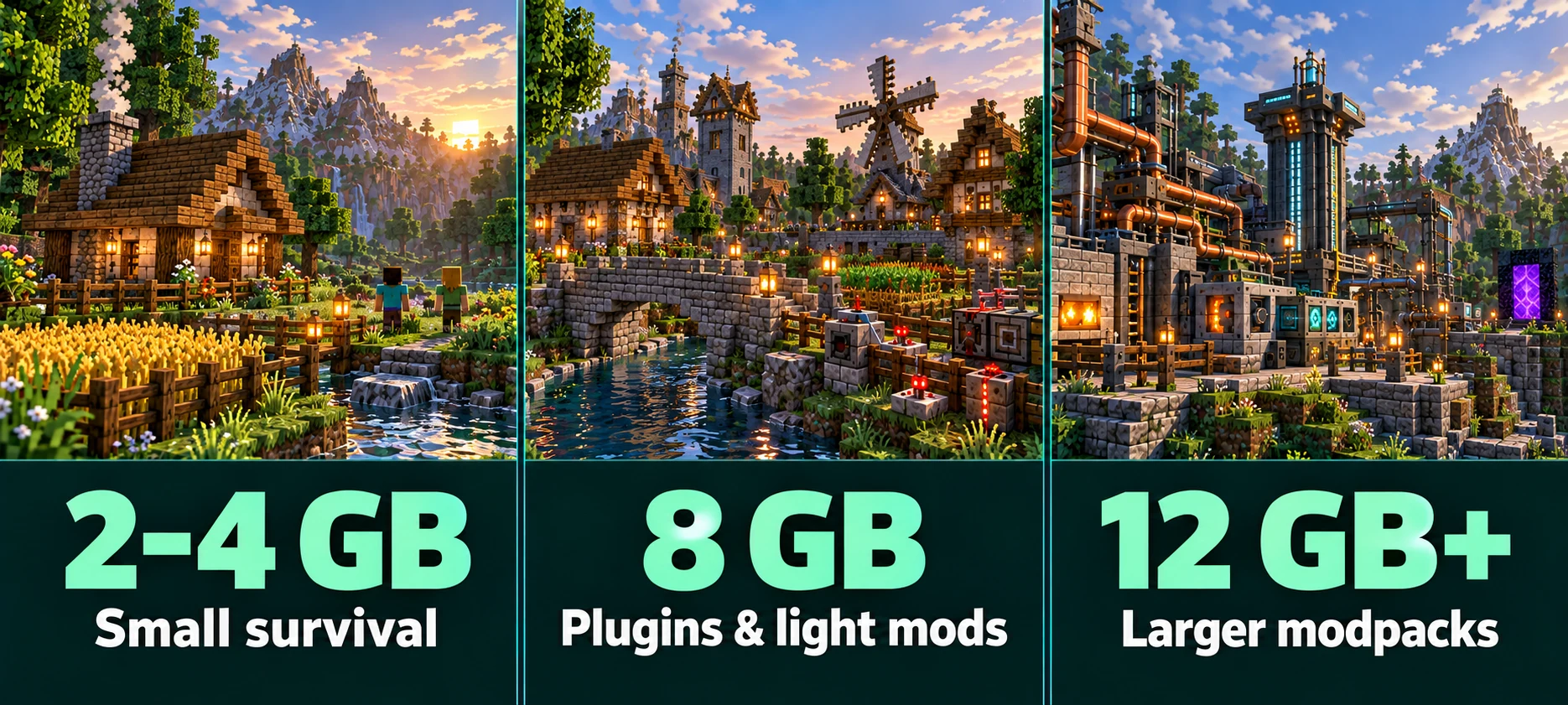
Use the table to choose an initial size, then check a session with your usual players online. It covers Java Edition servers, including Paper, Fabric and Forge/NeoForge modpacks. The figures are plan RAM, not Java heap, and are not benchmark results or guaranteed player limits.
| Server setup | RAM starting point | What to consider |
|---|---|---|
| Small vanilla or Paper survival server | 2–4 GB, Camp or Mini | Prefer 4 GB for a new server with a few friends. 2 GB can work for a modest setup, depending on version and settings. |
| Paper with claims, an economy and other plugins | 8 GB, Starter | A useful starting estimate for a group of roughly 10–20 players. Plugin workload and exploration can change what you need. |
| Fabric with performance mods, or a light modpack | 8 GB, Starter | Check the pack's server requirements. A small performance-only setup may need less. |
| Large Forge, NeoForge or Fabric modpack | 12 GB or more, Standard | Start with the pack author's recommendation and check whether it refers to heap or total server RAM. |
| Heavy modpack or several active worlds | Consider 24 GB, Premium | Choose this when the pack requirements or measurements justify it. Several worlds alone do not prove you need 24 GB. |
Assumptions: a small community server, moderate view and simulation distances, and no known memory leak. Modpack requirements take priority over these general estimates.
For Java and Bedrock crossplay, include Geyser and its workload when you check usage. There is no fixed RAM increase for each Bedrock player. For modpacks, use the server recommendation: the memory needed by the game on a player's PC can be different.
Already running a server?
Check memory usage and lag before changing plans. A high memory reading on its own is not a reason to buy more RAM.
What uses RAM on a Minecraft server?
Player count matters because players load terrain and interact with the world. But two servers with the same number of players can use very different amounts of memory. The main factors are:
- Loaded chunks. Players at the same base share much of the loaded terrain. Players exploring far apart need separate areas loaded. Higher view distances and chunk loaders can increase that total.
- Entities and block entities. Mobs, dropped items, villagers, chests and hoppers need memory while loaded. Large farms can also create a CPU problem, which extra RAM will not solve.
- Plugins and mods. Their memory use depends on what they do and how they store data. Counting plugins or mods alone is not enough to size a server.
- Java and server software. Your Minecraft version, server software and Java version affect usage. Java also uses memory for thread stacks, loaded classes and buffers outside the heap.
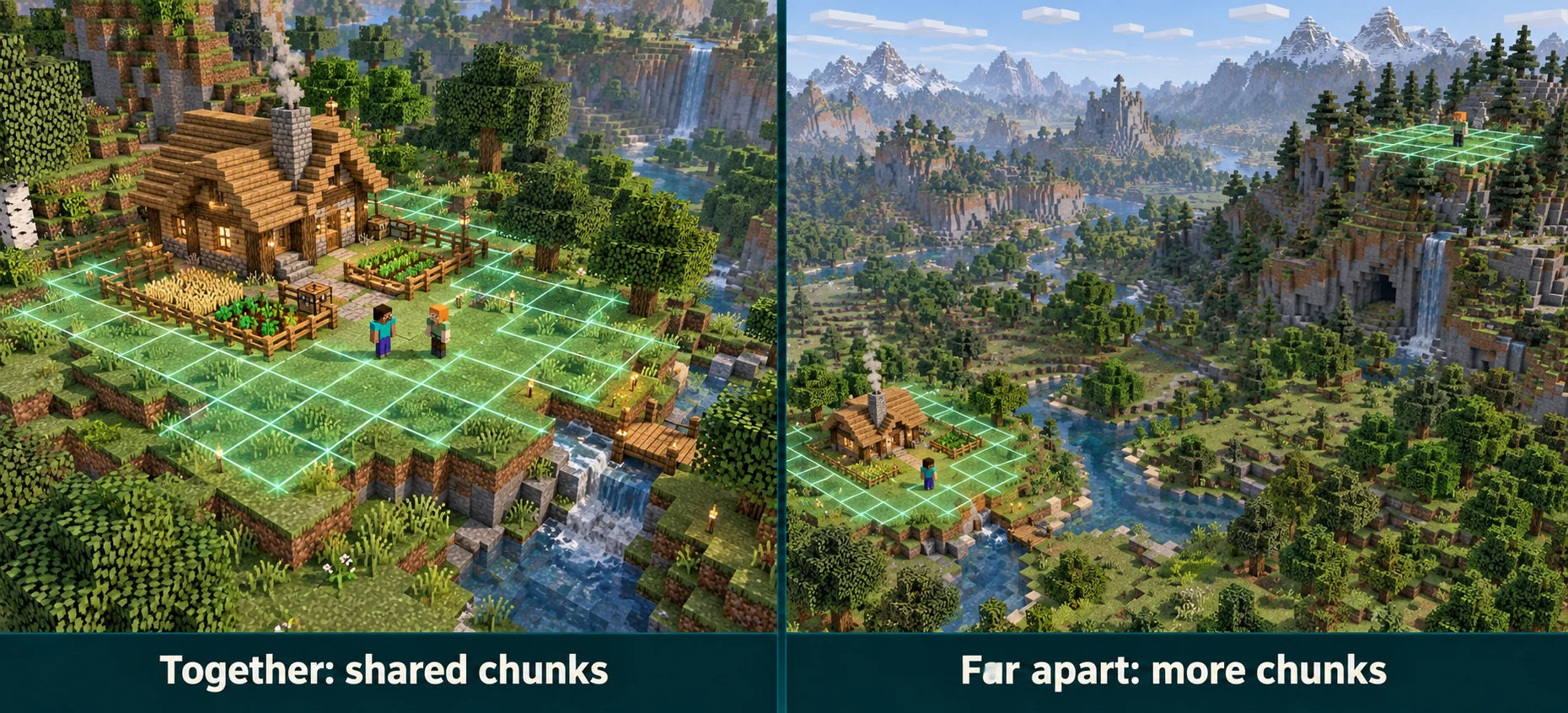
This is why a rule such as “one gigabyte per five players” is unreliable. Check how your group plays, the software you run and the areas you keep loaded. Disk space is a separate measurement: a large saved world does not all sit in RAM at once.
Plan RAM and Java heap: what is the difference?
Your plan's RAM limit covers the server process. The Java heap is the part used for objects such as chunks, entities and plugin data; -Xmx sets its maximum size. Java needs additional memory outside that heap. Setting -Xmx to the entire plan limit leaves no room for that extra use.
Lodehost's default allocation leaves 15% outside the heap, with a minimum margin of 768 MB and a maximum of 2,048 MB. The current plans therefore have these default heap limits:
| Plan | Total RAM | Maximum Java heap | Margin outside heap |
|---|---|---|---|
 Camp Camp | 2 GB | 1,280 MB | 768 MB |
 Mini Mini | 4 GB | 3,328 MB | 768 MB |
 Starter Starter | 8 GB | 6,963 MB | 1,229 MB |
 Standard Standard | 12 GB | 10,445 MB | 1,843 MB |
 Premium Premium | 24 GB | 22,528 MB | 2,048 MB |
 Ultimate Ultimate | 48 GB | 47,104 MB | 2,048 MB |
 Dedicated Dedicated | 96 GB | 96,256 MB | 2,048 MB |
 Titan Titan | 128 GB | 129,024 MB | 2,048 MB |
Calculated from Lodehost's default heap policy, checked on 21 September 2026. The margin is part of your plan; it is not a measurement of what Java is currently using.
The 2,048 MB maximum margin is an allocation setting, not a guarantee that every modpack's native memory use stays below it. Custom startup settings can also change your heap limit. If a pack asks for 8 GB of Java heap, an 8 GB total plan does not provide that under this default split.
High memory, lag or crashes: what should you do?
Start with the symptom you can confirm. The panel's memory reading covers more than used Java heap. Java can keep memory allocated after garbage collection, so the panel number does not have to drop after every collection.
| What you see | Check next | What to do |
|---|---|---|
| High RAM use, but smooth gameplay and no errors | Heap usage and garbage-collection pauses in spark | Keep monitoring. A high memory reading alone does not mean your server needs more RAM. |
| Lag or repeated Can't keep up warnings | Tick times and a profile taken during the lag | Find the expensive work first: entities, chunk generation, plugins or mods. Check GC pauses too; RAM is only one possible cause. |
| OutOfMemoryError: Java heap space | Your actual heap limit, pack requirements and recent changes | Reduce memory demand or increase the heap within a suitable plan. If usage keeps growing, investigate a possible leak. |
| Server stops without a Java crash report | Server events and logs; ask support to confirm whether the process was killed for exceeding its memory limit | If a memory-limit kill is confirmed, check heap headroom and native memory use. Otherwise investigate the recorded cause before upgrading. |
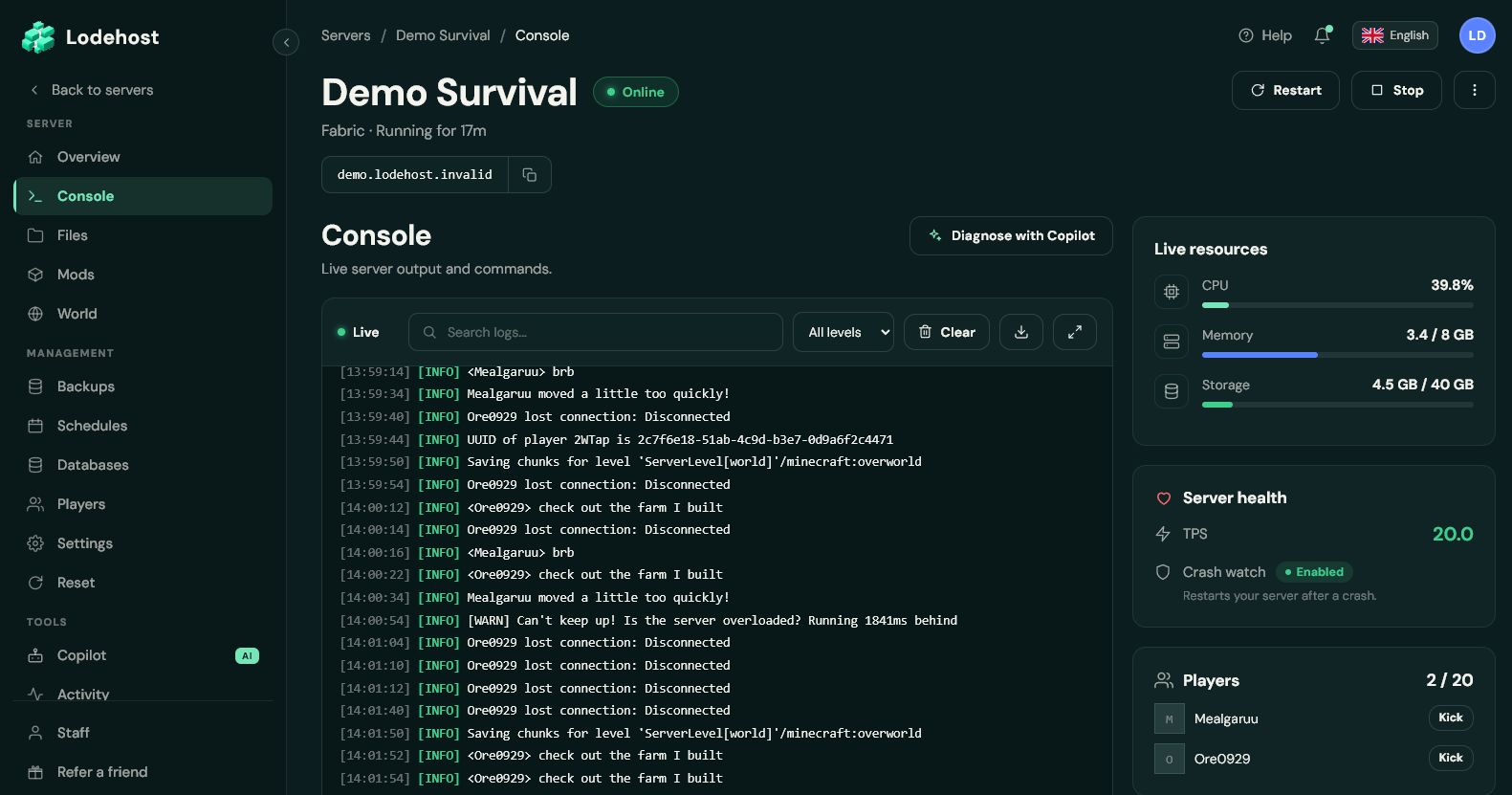
A Can't keep up! warning means a tick took too long; it does not identify RAM as the cause. Also read the full error after OutOfMemoryError: Java heap space and unable to create native thread point to different problems. Paper's troubleshooting documentation explains high memory readings and crashes without logs.
When more RAM will not fix Minecraft server lag
To maintain 20 ticks per second, the server needs to complete each tick within about 50 milliseconds. Much of Minecraft's tick work runs on the main thread. More RAM does not speed up that thread when memory is already sufficient. Common problems to investigate include:
- Large farms, item piles or crowded villager areas. Use spark to find what takes time before removing anything.
- High view or simulation distance. Understand the two settings, then try a lower value and compare the result.
- New terrain generation while players explore. Pregenerating with Chunky can reduce that work during gameplay, though loaded terrain still uses resources.
- A plugin or mod doing expensive work each tick. Use a profile to identify it, then check its configuration and updates.
If server tick times are healthy but players still report lag, check their connection and client performance as well. Extra server RAM will not fix low FPS on a player's computer or an unstable network connection.
How to check your Minecraft server's RAM usage
Check usage during a typical busy session. Include the activities that cause trouble, such as exploring, visiting farms or using modded machines. A ten-minute sample is a useful first check; repeat it if the problem only appears later.
Check the panel while players are online
Open Console and note the memory usage and plan limit under Live resources. Record the player count and what they are doing. This gives you a useful comparison when you change a setting.
Check Java memory with spark
Paper includes spark from version 1.21. On current spark versions, run
spark health show --memoryfor a console summary andspark gcfor garbage-collection history. If your version does not support the show command, usespark health. In the Lodehost console, enter commands without a leading slash; in game, add the slash.Check what happens during the problem
Compare heap use, collection pauses and any errors with the time players notice trouble. There is no universal percentage at which you must upgrade. For lag, run
spark profiler start --timeout 600during the problem and follow our spark profiling guide.Change one thing and compare
For example, lower view distance, adjust a busy farm or change a plugin setting. Check another comparable session. Upgrade when the workload still needs more memory, or when your modpack's requirements exceed the available heap. If memory keeps growing under the same workload, investigate the cause as well.
For other server software, use the compatible spark plugin or mod if available. See Paper's profiling instructions and the spark command reference for installation and version-specific details.
Written and checked by the Lodehost team, last reviewed on 21 September 2026.