Lodehost
Why a farm stops when you walk away
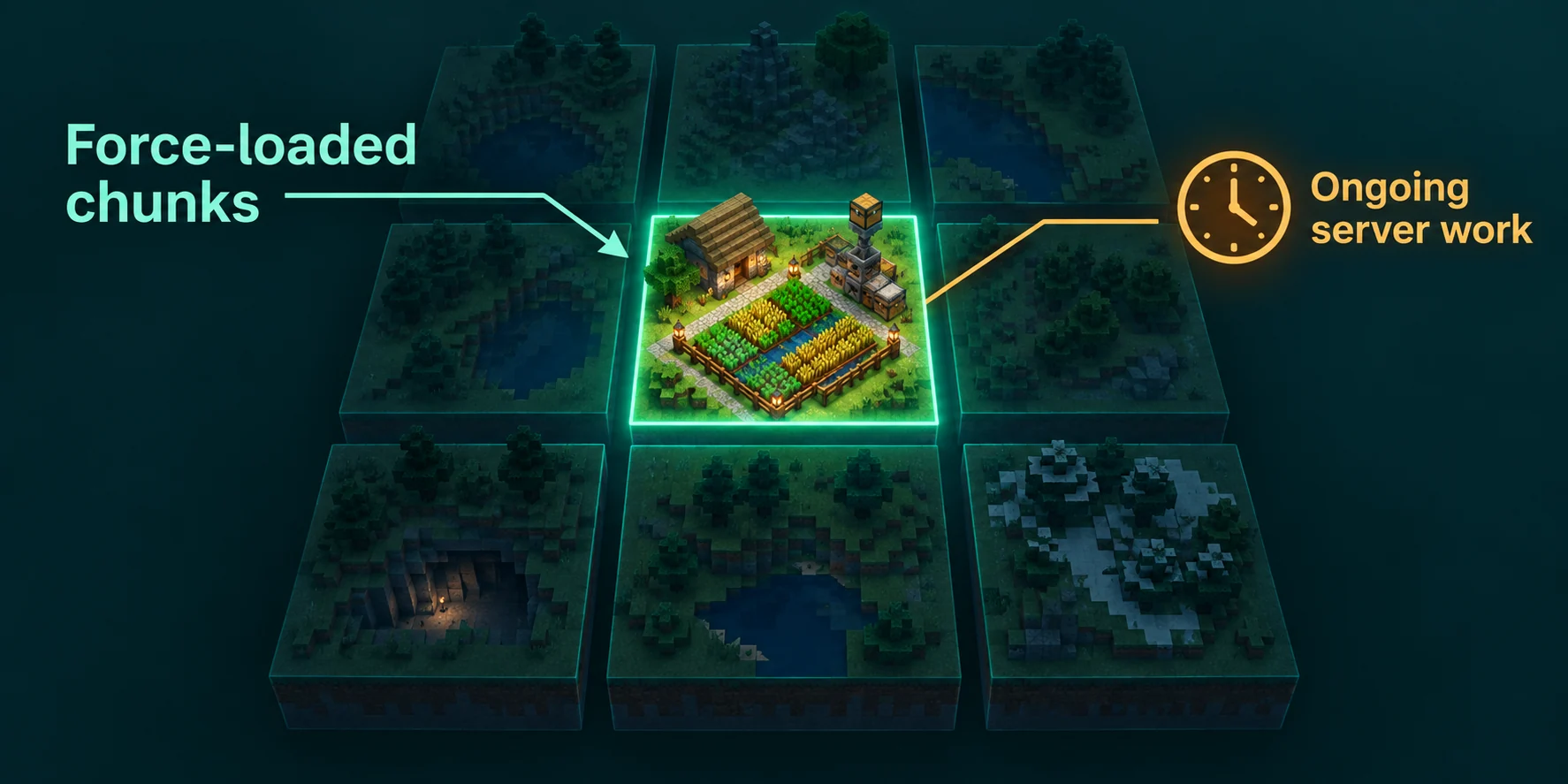
The server only simulates chunks that something asks it to keep loaded. Players are the usual reason: around each one, the world moves out to the simulation distance, and past that edge wheat stops growing, hoppers stop pulling and item streams freeze where they are. Walk home to the other side of the map and the farm is still there, but nothing in it happens.
Older tricks do not help any more. Until 1.21.9 there was a patch of chunks around world spawn that stayed loaded as long as the server ran, and many servers built their farms there. Java Edition 1.21.9 removed spawn chunks, together with the game rule that set their size. On a current server, a farm near spawn keeps running only for the same reasons as a farm anywhere else.
On our panel the Settings tab has Simulation distance (chunks) in the Performance group, and the performance profiles set it to 4 (Safe), 8 (Balanced) or 10 (Performance). Raising it keeps more land alive around every player, which is the costly way of making a farm reach. The view and simulation distance guide explains that trade in detail; this guide is about keeping a few chosen chunks alive instead.
The forceload command, part by part
| Command | What it does |
|---|---|
forceload add <x> <z> | Marks the one chunk that contains this block position. |
forceload add <x1> <z1> <x2> <z2> | Marks every chunk in the rectangle between the two positions. |
forceload remove <x> <z> or with a second position | Unmarks one chunk or a rectangle of them. |
forceload remove all | Unmarks every force loaded chunk in the current dimension. |
forceload query <x> <z> | Tells you whether the chunk at that position is marked. |
forceload query | Lists every force loaded chunk in the current dimension. |
- Block coordinates, not chunk numbers. You type ordinary x and z positions, the same ones players see, and the server works out which chunks they fall in.
- At most 256 chunks per command. A larger rectangle is refused with
Too many chunks in the specified area, followed by the maximum and the number you asked for. - Operator level 2. Players need that level to run it in chat. In the Console tab you type it without the slash.
- One dimension at a time. The command works in the dimension it runs in.
forceload remove allin the overworld leaves the Nether untouched. - It stays. The marks are saved with the world and survive a restart, so a farm you forgot about keeps costing tick time months later.
For the Nether or the End, put the dimension in front of the command. The positions you give are used as they are, so use coordinates read inside that dimension:
Console
execute in minecraft:the_nether run forceload add -120 40 -80 90
execute in minecraft:the_nether run forceload query
execute in minecraft:the_end run forceload remove all
Pick the chunks the farm really uses
A chunk is 16 by 16 blocks. To find the chunk of any position, divide x and z by 16 and round down, so 100 lands in chunk 6 and minus 30 in chunk minus 2. Marking too little makes a farm half work; marking too much costs ticks for nothing.
Walk the corners
Stand on two opposite corners of everything the farm needs: the growing area, the collection hoppers, the chests and any redstone clock. Note both positions.
Mark the rectangle
A farm from x 100 to 140 and z minus 30 to 20 becomes
forceload add 100 -30 140 20. That covers chunks 6 to 8 on x and minus 2 to 1 on z, twelve chunks in total, and the reply names that count.Check the edges
Run
forceload querywith the position of a hopper or chest at the far edge. The reply either says the chunk is marked for force loading or that it is not.Leave the area and watch
Go far away, wait a few minutes and come back. A chest that filled while you were gone proves it; one that did not means a part of the farm sits outside the marked chunks.
What actually runs in a force loaded chunk
A force loaded chunk is fully simulated, the same level of loading as the chunks right around a player. That does not make it a place where a player stands. A few things in Minecraft still ask whether a player is within 8 chunks, and those stay switched off. This is how it works in Java Edition 26.2:
| Inside the marked chunks | Runs with nobody near? | Notes |
|---|---|---|
| Redstone, pistons, observers, hoppers | Yes | Clocks and sorting systems keep going. |
| Water and lava flow | Yes | Item streams carry drops as usual. |
| Entities: items, animals, villagers, minecarts | Yes | They move and act. On Paper, see the next paragraph. |
| Crops, saplings, cactus, sugar cane | Yes, since 1.21.5 | Growth needs random ticks. Before 1.21.5 those only reached 8 chunks around players. |
| Natural mob spawning | No | Mobs only spawn within 8 chunks of a player. |
| Fire burning and spreading, lightning | No | Lightning strikes near players only. Fire also stops beyond 8 chunks, unless a game rule allows it. |
Mob farms still need someone close
Force loading a creeper or blaze farm keeps its killing chamber running, but nothing spawns to be killed. For a spawning farm the only way is a player, an AFK account or yourself, within 8 chunks of the spawning platforms.
The chunks around the marked area
Loading spreads one step outward from each marked chunk and gets weaker with every step. The ring right next to your area still runs redstone, flowing water and crop growth, but entities in it are frozen. An item that floats one chunk too far along a water stream stops dead at the border, and a villager that walks out of the area stands still. Give anything that moves one chunk of margin.
Paper slows down entities far from players
Paper, Purpur and Spigot have entity activation range in spigot.yml. Animals, monsters and villagers more than 32 blocks from any player, and dropped items more than 16 blocks away, are ticked only now and then instead of every tick. Villagers are the exception by default, because tick-inactive-villagers is on. In a force loaded farm with nobody near, items on a long stream and animals being bred therefore work in bursts. Raising those ranges makes the farm behave more like vanilla and costs ticks on the whole server, so only touch them after measuring.
Other things that keep chunks loaded
| Source | What it keeps loaded | For how long |
|---|---|---|
| A thrown ender pearl | The chunk the pearl is in, fully, and a 5 by 5 chunk area around it partly. It moves along with the pearl. | As long as the player who threw it is online. It stops when they log off and starts again when they return. Since 1.21.2. |
| Any entity passing through a Nether portal, End portal or End gateway | The area around the other end of the portal, out to 3 chunks. | 15 seconds after each passage. |
| A player | Everything within their simulation distance. | While they are online. |
Portals and pearls keep chunks going without an operator command, and they explain surprises: a pearl stasis chamber keeps its chunks loaded the whole time its owner is online, wherever that player is, and it counts towards the load on your server like any other.
Since 1.21.9 a dimension also stays active for these reasons alone. A Nether with a force loaded gold farm, a busy portal or a pearl in flight keeps ticking even when no player is in the Nether.
When nobody is online at all
Force loading solves the player who walks away. The server that empties out is a second problem. Since 1.21.2 a vanilla server pauses once no player has been online for the number of seconds in pause-when-empty-seconds, 60 by default, and a paused server does no farming. Paper and Purpur switch this pausing off by default, because plugins do not expect a world that stops.
Open server.properties
The setting is not on the Settings tab, so open the Files tab, find
server.propertiesin the main folder and press Edit.Turn the pause off
Change the line to
pause-when-empty-seconds=-1. The server only pauses when the value is above zero. Press Save.Restart once
The file is read at startup. After the restart, farms in force loaded chunks keep working with the player list empty.
Think about whether you want that. A server that never pauses keeps doing all of its work through the night, for a stack of wheat nobody collects until the weekend. The server.properties guide lists the other lines in that file.
What force loading costs, and how to see it
A marked chunk is simulated on every tick, twenty times per second, whether anyone looks at it or not. One small crop farm hardly shows. A rectangle of 16 by 16 chunks is 256 chunks, the most one command accepts, and unlike a player it never logs off. Farms full of item entities or hoppers weigh more than the same area of fields.
Console
forceload query
spark tps
spark profiler start --timeout 300
paper chunkinfo
paper entity list- Before and after. Run
spark tpswith nobody online, add the force loaded area, wait a few minutes and run it again. The difference in tick duration is what the farm costs on its own. - Profile it. A five minute spark profile taken while the server is empty shows almost nothing except your force loaded chunks. Look for entity ticking, hoppers and block updates in the report, as the spark guide explains.
- Count on Paper.
paper chunkinfoshows how many chunks are loaded in each world, andpaper entity listwhich entities tick and how many of them there are. A farm that leaks items shows up there quickly. - Clean up.
forceload querywithout a position lists every marked chunk in the dimension. Anything nobody can explain goes.
A checklist before you leave a farm running alone
- Check that the farm does not rely on natural mob spawning or fire. If it does, it needs a player within 8 chunks.
- Mark the full rectangle, with one chunk of margin wherever items, mobs or minecarts move.
- Remember the dimension. Nether and End farms need
execute inin front of the command. - On Paper, keep entity activation range in mind for item streams and animal pens.
- On a vanilla server, decide on
pause-when-empty-secondsbefore you expect the farm to run overnight. - Make sure the output has somewhere to go. A full chest leaves items lying on the ground, and piles of items weigh on every tick.
- Measure with spark before and after, and write down which chunks you marked and why.
- When a farm is retired, unmark its chunks with
forceload remove, because the marks outlive the farm.
Written and checked by the Lodehost team, last reviewed on 14 September 2026.