Lodehost
Why new terrain costs so much
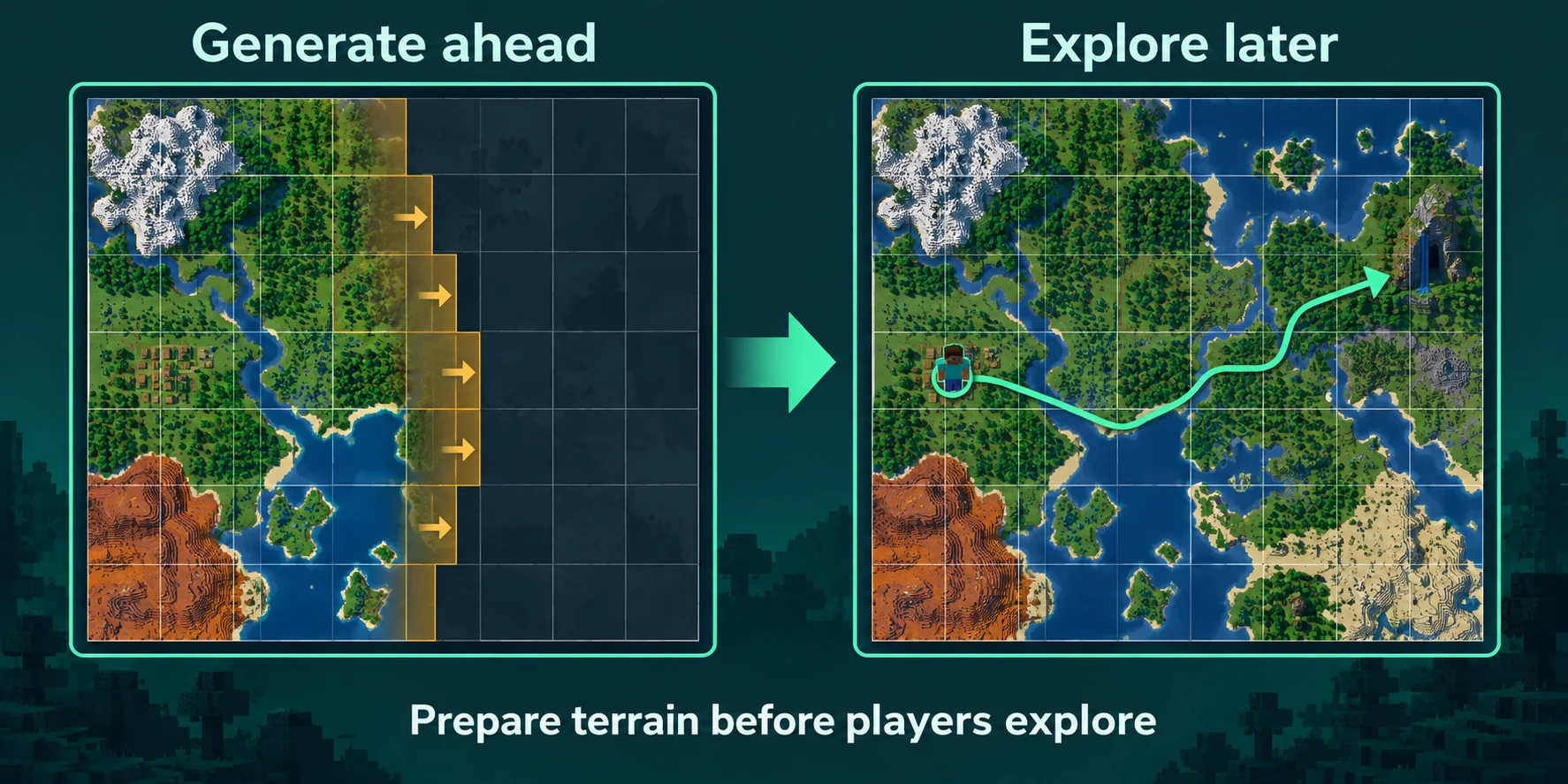
Loading a chunk that already exists means reading it from disk. Generating one means running the entire world generator for it: height and biomes, caves, ores, structures, trees and light. A few players heading into new land in different directions can fill a whole tick with that work.
You can recognise lag from generation by when it happens:
- Players who explore see chunks load late, or fly into empty space at the edge of the world.
- The console prints
Can't keep up!while someone travels with an elytra, and stays quiet while everyone builds. - The server feels fine for weeks, then slows down the evening a group sets off to find a new village.
The quick way: the World tab
Our panel has a card for this on the World tab, built on Chunky. It installs Chunky when you ask, shows for each radius how much disk space the new terrain takes and roughly how long it runs, and does not start a radius that will not fit on your disk.
| Radius from spawn | Chunks | Disk space | Time |
|---|---|---|---|
| 1,000 blocks | 15,625 | about 92 MB | about 39 minutes |
| 2,000 blocks | 62,500 | about 366 MB | about 2.6 hours |
| 3,000 blocks | 140,625 | about 824 MB | about 5.9 hours |
| 5,000 blocks | 390,625 | about 2.2 GB | about 16 hours |
Estimates for the overworld, at about 6 KB per chunk and 400 chunks per minute. A server with players online generates slower.
Start the server
Chunky runs inside the server, so the card only works while the server is running.
Install Chunky and restart once
Press install on the card. Chunky comes from the same checked source as the rest of the panel's catalog, and the server loads it after one restart.
Choose a radius
Pick how far from spawn to generate. Each choice shows its disk space and a time estimate, and a radius that does not fit is marked.
Start it and keep playing
Players can stay online. Progress appears on the card, and if you stop early, everything generated so far stays generated.
The card covers the overworld around spawn and leaves the Nether and the End alone. For those, and for any other centre or shape, use the commands below.
Doing it with commands
In the console you type the commands without a slash; in the game you put a slash in front and need operator rights. A typical run around spawn looks like this:
Console
chunky spawn
chunky radius 3000
chunky selection
chunky start| Command | What it does |
|---|---|
chunky world <world> | Chooses the world to work on. In the game, press Tab after the command to see the names your server uses. |
chunky spawn | Centres the selection on the world spawn. |
chunky center <x> <z> | Centres it on other coordinates. |
chunky radius <radius> | Sets the radius in blocks. 10k means 10,000 blocks, 625c means 625 chunks. |
chunky shape <shape> | Changes the shape, for example from square to circle. |
chunky worldborder | Takes the centre and size of the world border. |
chunky selection | Shows what is selected, so you can check it before starting. |
chunky start | Starts generating the selection. |
chunky pause and chunky continue | Stops for now and picks up later where it left off. |
chunky cancel | Ends the task for good. Terrain that is already generated stays. |
chunky progress | Shows how far the task has come. |
chunky quiet <seconds> | Sets how often progress is printed, which keeps the console readable. |
How far to go, and the world border
- A group of friends: 2,000 to 3,000 blocks from spawn covers weeks of ordinary exploring.
- A public survival server: 5,000 blocks, with a world border so nobody travels past it.
- The Nether: one block there counts for eight in the overworld, so 5,000 blocks in the overworld matches 625 in the Nether.
- The End: the main island needs nothing. The outer islands start about a thousand blocks out, and they are only worth generating once players have elytra.
Pre-generating without a border only moves the problem to the edge, because sooner or later someone flies past it. Put the border on the generated area or just inside it:
Console
worldborder center 0 0
worldborder set 10000
The number after set is the full width, so 10000 keeps players within 5,000 blocks of the centre in every direction. After that, chunky worldborder selects exactly the bordered area.
While it runs, and afterwards
- Players can keep playing, but ticks get slower. Start big runs when few people are online, such as late in the evening.
- A restart does not lose the task.
chunky continuecarries on from where it was. - Backups grow with the world. Check how much backup space your plan has before you generate a 5,000 block radius.
- Terrain keeps the generator of the version it was made in. Pre-generate right before a big Minecraft update and new biomes and structures only show up outside that area.
Trimming is permanent
chunky trim deletes chunks outside or inside a selection, optionally only those where players spent almost no time. It is how you shrink an old world, and without a backup it cannot be undone. Take one first. On a plan without backup slots, zip the folder of that world on the Files tab and download the archive.
Written and checked by the Lodehost team, last reviewed on 13 September 2026.