Lodehost
What hardcore changes on a server
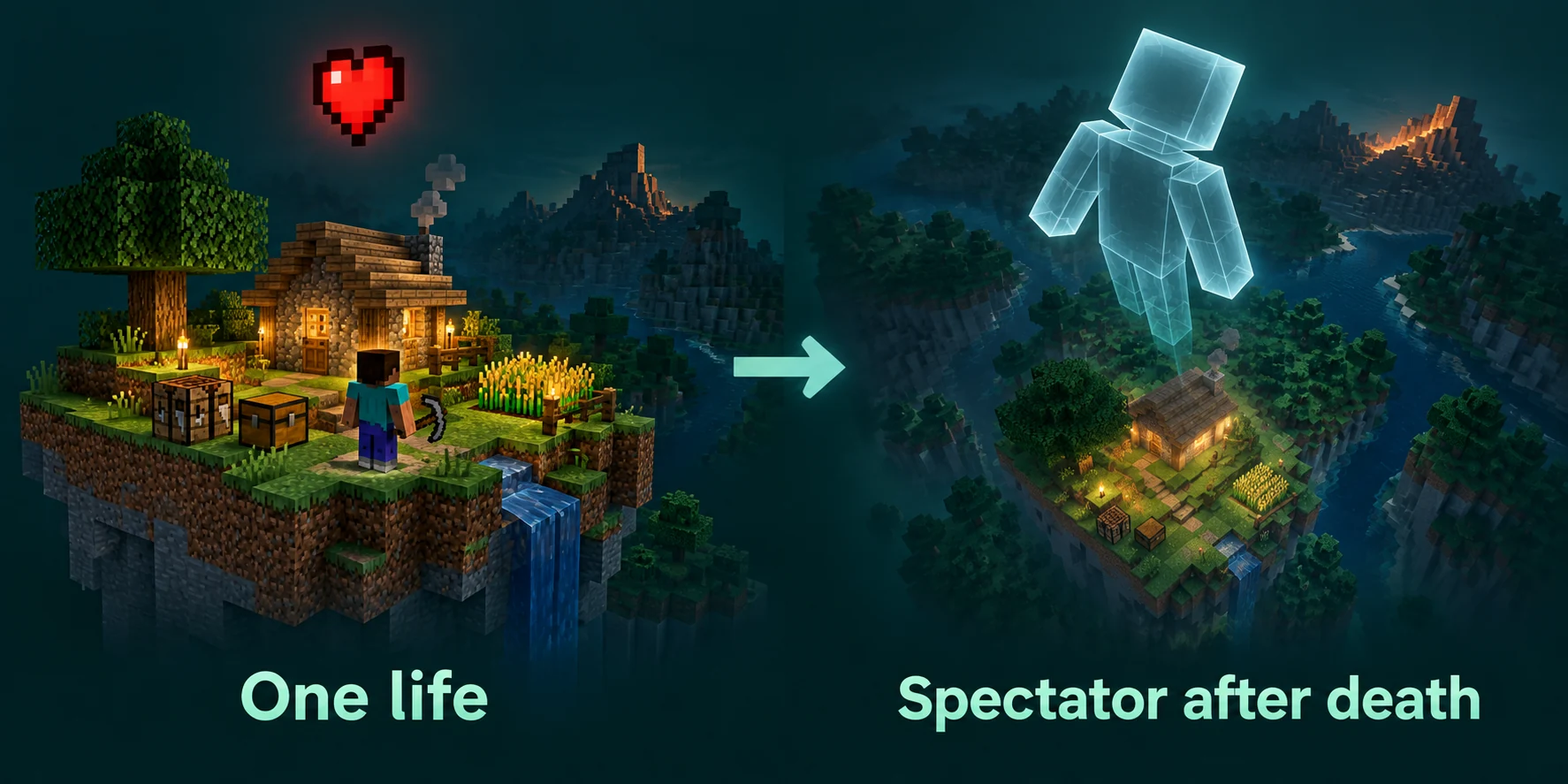
Hardcore is survival with two changes: the world plays on hard and cannot be moved off it, and a player who dies does not come back. On a server that second part is handled per player. The world keeps running, the others keep playing, and the player who died turns into a spectator.
| Hardcore in singleplayer | Hardcore on a server | |
|---|---|---|
| Difficulty | Hard, locked | Hard, locked |
| After a death | Your run is over and you can only look around | You spectate while the others play on |
| Commands | Not available | Operators keep every command, including gamemode |
| Game rules | Greyed out in the menu | Operators can still change them |
That last column matters. A server owner can bend the rules of a hardcore world whenever they choose to, so the one life is only as strict as the people holding operator rights.
The hardcore setting only counts for a new world
On our panel the switch is Hardcore in the Gameplay group of the Settings tab, and it writes hardcore=true to server.properties. The catch is timing. The server reads that line when it creates a world and stores the result inside the world, in level.dat. After that, the world decides whether it is hardcore, and the line in server.properties is ignored.
- Hardcore on, existing world: nothing changes. Players who die respawn as usual.
- Hardcore off, existing hardcore world: nothing changes either. The world stays hardcore.
- Hardcore on, then a new world: the new world is hardcore from its first tick.
Switch Hardcore on
Open the Settings tab, turn on Hardcore in the Gameplay group and save. The panel reminds you that some settings wait for a restart; this one waits for a new world.
Check Force gamemode on join
Leave it off, and set Default gamemode to survival. The section on deaths below explains why this switch quietly undoes hardcore.
Create the world
Use the Reset the world card on the World tab, described at the end of this guide. The server generates a new world with the hardcore flag set.
Check that the world really is hardcore
The quickest test from the Console tab uses the locked difficulty. Try to set easy, then ask for the current value:
Console
difficulty easy
difficulty
A hardcore world answers the first line with a message that the difficulty was set to Easy, and the second with The difficulty is Hard. A normal world really switches to easy, so set it back with difficulty hard or whatever you had. If the first line says the difficulty did not change because it is already Easy, the world is not hardcore either, since a hardcore world is never on easy.
Why the difficulty will not move
At every start the server applies the Difficulty value from the Settings tab. In a hardcore world it turns any value into hard before storing it, and the difficulty command goes through the same step. That explains two things that confuse people:
- The Settings tab can say peaceful while monsters hunt players at night. The field shows the line in the file, not what the world uses.
- `difficulty easy` reports success and the world stays on hard. The message repeats what you asked for rather than what happened.
So there is no gentle hardcore. For a milder challenge, run normal survival on hard and use the game rules further down, or give players a few lives with a plugin.
What happens when a player dies
The player sees a Game Over screen with two buttons, Spectate World and Title Screen. Spectating makes the server respawn them where a normal respawn would put them, at their bed, a charged respawn anchor or world spawn, and then switch them to spectator mode. From then on they can fly through the world and watch, but cannot touch anything.
- Their items stay behind. With
keep_inventoryoff, which is the default, inventory and experience drop where they died. - Nothing is banned or deleted. The player stays on the server as a spectator, and their account can join again later.
- The spectator state is saved with the player, so logging out and back in keeps them a spectator.
Force gamemode on join undoes a death
With Force gamemode on join switched on, the server puts every player back in the default gamemode each time they connect. A dead spectator who logs out and in again is then back in survival. On a hardcore server, keep that switch off.
Bringing a player back
Sometimes a death should not count: a lag spike, a bug, a friend who joined the evening before and fell into a ravine. An operator can undo it. Decide in advance when you will do this, write it down where players can read it, and stick to it, or every death turns into a debate.
Find a safe spot
A spectator can be anywhere, including inside a mountain. Pick coordinates on solid ground, near their bed or near where their items lie.
Move them there
In the Console tab, teleport the player to those coordinates first.
Switch them to survival
Then run
gamemode survivalwith their name. Doing it in that order means they never land inside a block.
Console
tp Kai 212 71 -340
gamemode survival Kai
In chat the same commands take a slash and operator level 2 or higher. Every operator can also use them on themselves, which is why a hardcore server keeps its operator list short. If the player's items dropped when they died, the revived player has to walk back for them.
Game rules that suit hardcore
Hardcore does not lock game rules on a server. The Game rules card on the World tab reads them from the running server, and one console command sets any rule the card does not show. These are the ones worth a thought before the first night:
| Rule | Default | Why it matters on hardcore |
|---|---|---|
show_death_messages | on | Keep it on. A death in chat is the moment the whole server remembers. |
keep_inventory | off | On: a dead player keeps their items as a spectator, so a revived player starts with their gear. |
immediate_respawn | off | On: skips the Game Over screen and sends a dead player straight to spectating. |
players_sleeping_percentage | 100 | Lower it so the night passes before a group of tired players makes a mistake in the dark. |
natural_health_regeneration | on | Off: health only returns through potions, golden apples and similar effects. Brutal, for experienced groups. |
locator_bar | on | Off: nobody sees where others are, which makes a lost player much harder to rescue. |
spectators_generate_chunks | on | Off: dead players flying far out no longer make the server generate new land. |
Console
gamerule spectators_generate_chunks false
gamerule players_sleeping_percentage 50
The first of those two is not on the card, so it goes through the console. The game rules guide explains the rest of the card and the renamed rules since 1.21.11.
Several lives instead of one
Many groups prefer three or five lives over one. There are two ways to run that, and they need opposite settings.
By hand, with hardcore on
Keep the world hardcore, so every death ends in spectator mode, and let the scoreboard count the deaths. The list slot shows each player's count next to their name when someone holds the key for the player list:
Console
scoreboard objectives add deaths deathCount
scoreboard objectives setdisplay list deaths
When a player dies with lives to spare, an operator brings them back with the teleport and gamemode steps above. It costs a moment of attention per death, and it works on Paper, Fabric and vanilla alike.
With Limited Lives, with hardcore off
Limited Lives handles the counting and the penalty itself. It runs on Paper, Purpur and Spigot, has builds for 26.1 and 26.2, and can be found in the Plugin catalog on the Plugins tab. Run it on a normal survival world with Difficulty set to hard, because in a hardcore world the first death already ends in spectator mode before the plugin gets a say.
| Setting in its config | Default | What it does |
|---|---|---|
lives.default | 5 | Lives a new player starts with |
lives.max | 10 | The most lives a player can hold |
lives.min | 0 | The count at which the penalty commands run |
commands.punishment.respawn | gamemode spectator %player% | Runs when a player without lives respawns |
commands.revive | gamemode survival %player% | Runs when that player gets a life back |
/lives shows your own count and /lives get Kai someone else's, while set, add and remove change a count by hand. The config also has ways to earn lives, such as taking one from a player you kill or crafting an item. The Force gamemode catch applies here as well: leave that switch off, or players out of lives rejoin in survival.
Starting a new season
Once most players are spectators, the season is over. The Reset the world card on the World tab starts the next one without touching a file.
Confirm Hardcore is still on
A reset leaves
server.propertiesalone apart from the seed, so the switch keeps its value. Check it anyway, because the new world copies it once.Pick a seed, or leave it empty
Type one under Seed for the new world (optional), or leave the field empty for a random world. The seed guide helps you choose.
Press Reset world
Enter your two-step code and confirm. The card runs through Stop the server, Take a full backup, Remove the old world and Start and generate a fresh world, and shows each step as it finishes.
Set up the season
Game rules and the scoreboard live in the old world and go with it, so set your rules on the Game rules card again and add the deaths objective anew.
| After the reset | What happens to it |
|---|---|
| Overworld, Nether and End | Deleted and generated again |
| Inventories, positions and gamemodes | Gone, because player data is stored inside the world folder. Every player starts the season fresh, spectators included. |
| Operators, whitelist and bans | Kept. Those lists sit next to the world, not inside it. |
| Plugins and their settings | Kept. Check whether a lives plugin carried old counts over, and set them back with its commands. |
Plans without backup slots
On those plans the backup step is skipped and the confirm button reads Delete this world forever. To keep season one as a memory, tick the world folders on the Files tab first, press Zip and download the archive.
Before you open the gates, consider generating the land around spawn in advance. The first evening of a season is when everyone runs off in a different direction at once.
Written and checked by the Lodehost team, last reviewed on 14 September 2026.