Lodehost
One core jar and a handful of optional modules
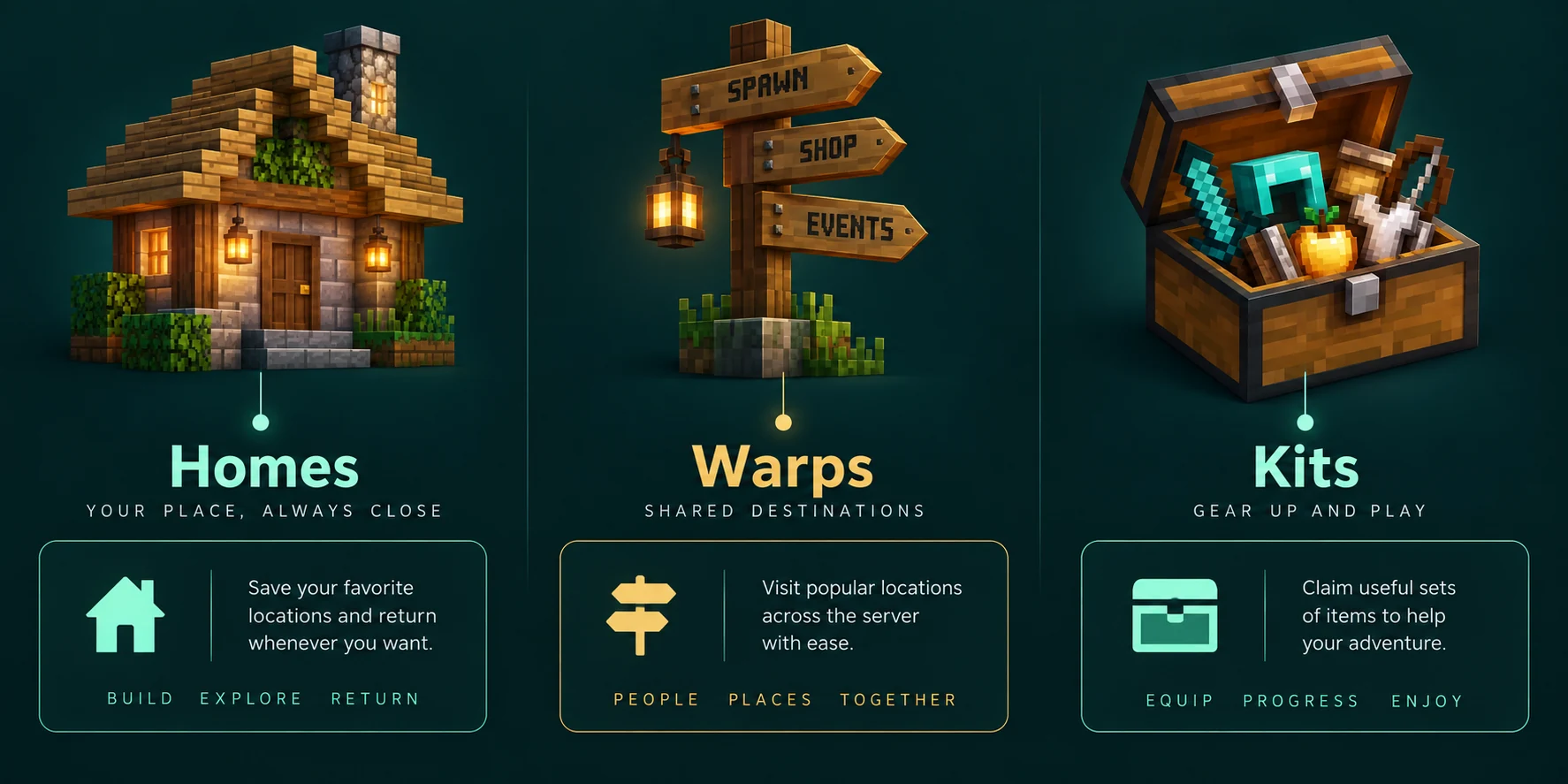
EssentialsX is a set of jars. Only the core jar is required, and every module needs it. For homes, warps, kits and teleport requests the core is enough; add Spawn when you want /spawn, /setspawn and control over where new players arrive.
| Jar | What it adds | Needed here |
|---|---|---|
| EssentialsX | Most commands: homes, warps, kits, /tpa, /back, signs and an economy | Yes |
| EssentialsX Spawn | /spawn, /setspawn, a separate spawn and a kit for first joins | For spawn |
| EssentialsX Chat | Chat formats per group, with prefixes when a permissions plugin and Vault are present | No |
| EssentialsX Protect and AntiBuild | Simple world rules and build permissions, without regions | No |
| EssentialsX GeoIP, Discord, Discord Link, XMPP | Location lookups, a Discord bridge with role sync, a legacy chat bridge | No |
It runs on Paper and Purpur, not on Fabric, Forge or vanilla, and the Plugins tab tells you to switch server type when yours cannot load plugins; see Paper, Purpur or Spigot. The money side of EssentialsX has its own guide to economy and shops.
Install the build that matches your Minecraft version
Minecraft Java Edition 26.2 is the current release, and that is where people get caught. The latest stable EssentialsX, 2.22.0, supports up to 26.1.2. Support for 26.2 is in the development builds, numbered 2.22.1-dev, which the EssentialsX team publishes on its downloads page.
| Your server runs | Where to get EssentialsX |
|---|---|
| 26.1.2 or an older supported version | The plugin catalog on the Plugins tab, which picks the stable release for your version |
| 26.2 | A development build, uploaded through the Files tab, until a stable release for 26.2 is out |
Look in the catalog first
Open the Plugins tab. Next to Plugin catalog it says which server type and version the list is matched to. Type
essentialsin Search plugins, and when EssentialsX and EssentialsX Spawn show up, press Install on both.Otherwise, upload the jars yourself
Download the core jar and the Spawn jar from one development build, so both carry the same build number. In the Files tab, open the
pluginsfolder and Upload each one.Restart and check
New jars only load on a start, so press Restart on the Console tab. Installed on this server should then list both jars, and EssentialsX creates
plugins/Essentialswithconfig.ymlandkits.yml.
Console, when the build does not know your Minecraft version
[Essentials] You are running an unsupported server version!Removing the Spawn jar can take all your EssentialsX data with it
The Spawn module keeps spawn.yml inside the Essentials folder, and the Installed list shows Essentials as the config folder for both jars. When you remove EssentialsX Spawn, leave the box for deleting its settings folder unticked, or homes, warps and kits go too.
Why players can use nothing yet
An EssentialsX permission without its own default falls back to the server's standard for plugins: operators have it, nobody else does. So you, as an operator, can set homes straight away while your friends are refused. Making everyone an operator is not the answer, as the guide to operator levels explains.
What you need is a permissions plugin, and the EssentialsX team recommends LuckPerms, which is in the plugin catalog. Add VaultUnlocked from the catalog too: it continues Vault and loads under that name. Without it EssentialsX still reads single permissions, but warns that group features will not work.
Console, with LuckPerms: the basics for every player
lp group default permission set essentials.sethome true
lp group default permission set essentials.home true
lp group default permission set essentials.delhome true
lp group default permission set essentials.warp true
lp group default permission set essentials.warp.list true
lp group default permission set essentials.kit true
lp group default permission set essentials.spawn true
lp group default permission set essentials.tpa true
lp group default permission set essentials.tpahere true
lp group default permission set essentials.tpaccept true
lp group default permission set essentials.tpdeny true
LuckPerms puts every player in the group default, a name that cannot be changed, so these lines reach everyone.
| Feature | For players | For staff |
|---|---|---|
| Homes | essentials.sethome, essentials.home, essentials.delhome | essentials.home.others |
| More than one home | essentials.sethome.multiple, plus a rank node | essentials.sethome.multiple.unlimited |
| Warps | essentials.warp, essentials.warp.list | essentials.setwarp, essentials.delwarp |
| Kits | essentials.kit, essentials.kits.<kit> | essentials.createkit, essentials.kit.exemptdelay |
| Spawn | essentials.spawn | essentials.setspawn |
| Teleport requests | essentials.tpa, essentials.tpahere, essentials.tpaccept, essentials.tpdeny | essentials.teleport.timer.bypass |
| Reloading | essentials.essentials |
Without any permissions plugin, you can set use-bukkit-permissions: false in config.yml. EssentialsX then gives everyone the nodes in its player-commands list. That list is the same for every player, so ranks are out of reach.
Homes, and a home limit per rank
A player stands where they want to return to and types /sethome base. /home base goes back and /delhome base removes it. With no home set, /home sends players to spawn, because spawn-if-no-home is on by default.
Without essentials.sethome.multiple a player gets exactly one home. With it, the limit comes from sethome-multiple in config.yml:
plugins/Essentials/config.yml
sethome-multiple:
  default: 3
  vip: 5
  staff: 10
Those names are home ranks, not groups, and they do not have to match anything in LuckPerms. A player with essentials.sethome.multiple gets the number under default; add essentials.sethome.multiple.vip and they get 5. With several rank nodes the highest number wins, and essentials.sethome.multiple.unlimited removes the limit.
Console: three homes for everyone, five for VIPs
lp group default permission set essentials.sethome.multiple true
lp creategroup vip
lp group vip permission set essentials.sethome.multiple.vip true
lp user RiverFox22 parent add vip
parent add keeps the player in default as well, so they hold both nodes, which a rank needs. At the limit a player sees You cannot set more than 3 homes. For a rank of your own, add a line such as builder: 8 and give out essentials.sethome.multiple.builder.
Warps everyone can reach
Homes belong to one player; warps are shared places such as the market or the nether hub. Stand on the spot and run /setwarp market. Players go there with /warp market, /warp without a name lists all warps page by page, and /delwarp market removes one. Each warp is its own file in plugins/Essentials/warps.
By default anyone with essentials.warp can use every warp. To keep a staff room or VIP area private, set per-warp-permission: true. Each warp then needs its own node, and players only see the warps they may use:
Console
lp group default permission set essentials.warps.market true
lp group vip permission set essentials.warps.viplounge true
Kits with a delay
Kits live in plugins/Essentials/kits.yml, not in config.yml. The quickest way to make one is in the game: fill your inventory with what the kit should hold and run /createkit starter -1. EssentialsX writes it to kits.yml and reports the number of entries and the delay.
plugins/Essentials/kits.yml
kits:
  starter:
    delay: -1
    items: [stone_sword 1, bread 16, torch 32]
  food:
    delay: 86400
items: [cooked_beef 8, oak_log 16]- The delay is in seconds.
86400is one day between claims,0means no wait, and-1makes a kit each player can claim once. - Every item needs an amount after its name.
- Kit names are lowercase, which is also how they appear in permissions.
- A line that starts with a slash runs a command when the kit is claimed, with
{USERNAME}replaced by the player.
Claiming takes two permissions: essentials.kit for the command and essentials.kits.food for the kit itself. A player who asks too soon is told how long they still have to wait. Staff with essentials.kit.exemptdelay skip the delay, and kit-auto-equip: true puts kit armour into empty armour slots.
Spawn, and where new players arrive
With the Spawn module loaded, stand at your spawn and run /setspawn. That saves a spawn for the group default, and /spawn takes players there. The world's own spawn point is a separate setting, covered in the world spawn guide. The first join is handled in the newbies section at the bottom of config.yml:
plugins/Essentials/config.yml
newbies:
  announce-format: '&dWelcome {DISPLAYNAME}&d to the server!'
  spawnpoint: newbies
  kit: tools

spawn-on-join: false
respawn-at-home: false- `spawnpoint: newbies` sends first-time players to a spawn called newbies, which you make with
/setspawn newbiesin your welcome hall. Until it exists they land on thedefaultspawn, and without that on the world spawn. - `kit: tools` hands out a kit on first join, skipping permissions and delay. The tools kit only exists in a fresh
kits.yml, so point this at your own kit, such asstarter, or set it to''. - `spawn-on-join: true` sends players to spawn at every login, which suits a lobby more than a survival world.
- `respawn-at-home: true` makes players respawn at their bed or first home after dying instead of at spawn.
A spawn per group, such as /setspawn vip, needs EssentialsX to see groups, which is what VaultUnlocked is for.
Teleport requests between players
/tpa Kai asks to teleport to Kai, and /tpahere Kai asks Kai to come to you. Kai answers with /tpaccept or /tpdeny, and the asker can withdraw with /tpacancel. A player can have at most 5 open requests.
| Setting in config.yml | Default | What it does |
|---|---|---|
tpa-accept-cancellation | 120 | Seconds to accept a request; 0 keeps it open |
teleport-delay | 0 | Seconds before the teleport; moving or being attacked cancels it |
teleport-cooldown | 0 | Seconds between teleports such as /home and /tpa |
teleport-invulnerability | 4 | Seconds after a teleport in which the player cannot be hurt, so nobody is killed on arrival |
On a PvP server a teleport-delay of a few seconds stops players from escaping a fight with /home. Staff who should not wait get essentials.teleport.timer.bypass.
Apply your changes
Edit config.yml or kits.yml in the Files tab with Edit and Save, then run the reload in the console, without a slash. It reads the settings, kits and warps again and answers Essentials reloaded.
Console
essentials reloadTwo things need a real restart: new or updated jars, and the respawn-listener-priority and spawn-join-listener-priority settings, as their own comments say. When a start throws errors, the guide to plugins that fail to load helps you read them.
Written and checked by the Lodehost team, last reviewed on 14 September 2026.