Lodehost
What Multiverse adds to a server
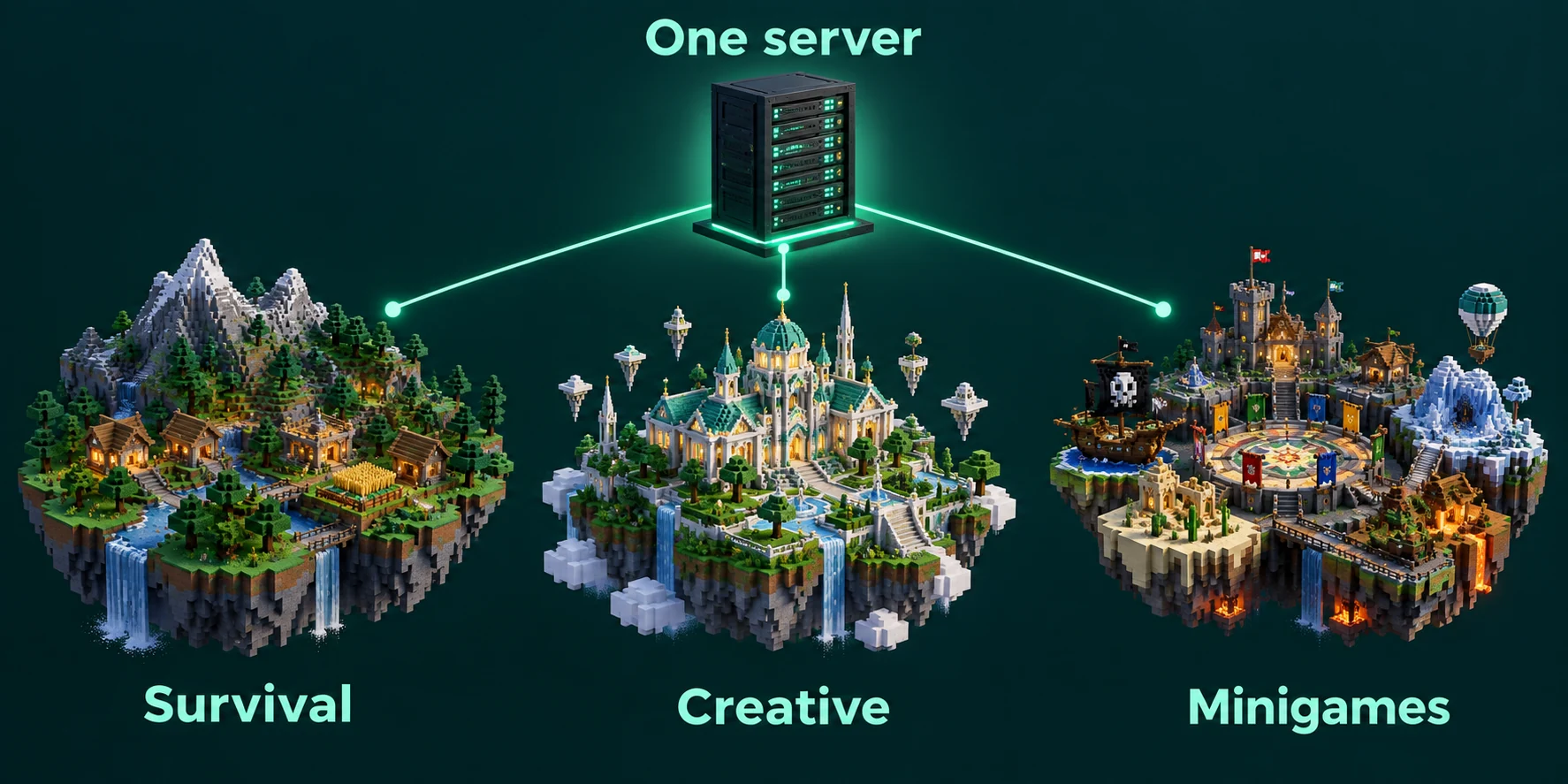
A Paper server normally has one world with its Nether and its End. Multiverse-Core lets you add as many more as the server can carry, load and unload them while it runs, and move players between them with a command. The worlds share one process, one set of plugins and one server.properties, which makes them easy to add and also limits them.
| Shared by every world | Set per world with Multiverse |
|---|---|
| The address, the player list and chat | Game mode and difficulty |
| Installed plugins | PvP, hunger, flight and weather |
| Operators, the whitelist and bans | Game rules such as keep_inventory |
| Memory and the main thread | Where players respawn and which portals may form |
| Player inventories, until you add Multiverse-Inventories | A player limit, and whether the world appears in lists |
Installing Multiverse-Core 5
Multiverse is a plugin, so it runs on Paper, Purpur and Spigot and not on vanilla, Fabric, Forge or NeoForge. The current release line is 5, with builds for Java Edition 26.2. If your server runs another type, the comparison of Paper, Purpur and Spigot explains what switching means.
Open the Plugins tab
Search the Plugin catalog for Multiverse. The catalog is matched to your server type and version, so the build it installs fits the server.
Install the core first
Press Install on Multiverse-Core. The add-ons build on it, so it goes in before any of them.
Restart the server
The panel reports that the file was verified and asks for a restart. Use Restart on the Console tab, then type
mv listto see that the plugin answers.
Commands from old videos
Many tutorials were recorded for Multiverse 4 and for the folder layout before Paper 26.1. When a command from one of them fails, check it against the forms on this page rather than retyping it.
Creating a world with environment, type and seed
Console
mv create creative normal --world-type flat
mv create resources normal --seed 8675309 --no-structures
mv create mining nether
The first word after create is the name, the second is the environment, and everything else is an optional flag with two dashes. Creating a world can take a little while, and the console shows the progress.
| Part | Values | What it does |
|---|---|---|
| Environment | normal, nether, the_end | Overworld sky, Nether ceiling or End void. Required. |
--world-type | normal, flat, large_biomes, amplified | The terrain shape, as described in the guide to world types |
--seed | A number or text | The same seed on the same version gives the same land |
--no-structures | No value | Leaves out villages, temples and strongholds |
--no-adjust-spawn | No value | Leaves the spawn point where the game put it |
--generator | A generator plugin name | Hands terrain to a plugin, for void or custom worlds |
Keep names short, lowercase, and made of letters, digits and underscores. On Paper 26.1 and newer every world is stored under your main world folder as world/dimensions/minecraft/<name>, and Multiverse refers to it as minecraft:<name> where a full key is asked for. A world called creative therefore sits in world/dimensions/minecraft/creative, next to the overworld, the_nether and the_end folders of the main world.
Bringing in a world you uploaded
Import is for terrain that already exists, such as a map from a friend. Multiverse requires the world to come from the same Minecraft version as your server, so open an older map in singleplayer on that version first and let the game upgrade it. The guide to moving a server covers bigger transfers.
Zip the terrain folder
In a 26.x world the overworld terrain sits in
dimensions/minecraft/overworld. Zip what is inside that folder, theregion,entitiesandpoifolders among it, not the folder itself.Make the target folder
On the Files tab, open
world/dimensions/minecraftand press New folder. Name it after the world, for examplebuild.Upload and extract
Open the new folder, press Upload and pick the zip, then press Extract next to it. Above a few hundred megabytes, put the zip online and use From link so the server fetches it itself.
Import it
Check that
regionsits directly insidebuild, delete the zip, and runmv import minecraft:build normalin the console. Usenetherorthe_endfor a Nether or End map.
Renaming the folder later
Once a world is imported, leave its folder name alone. For a nicer name in lists and messages, give it an alias with mv modify build set alias Build_City.
Teleporting, listing and spawn points
In chat
/mv list
/mv tp creative
/mv tp Kai creative
/mv tp e:resources:120,72,-340
/mv who resources
/mv setspawn
/mv spawn- `/mv list` shows the worlds you are allowed to see, and
/mv info creativelists the settings of one of them. - `/mv tp` takes a world name, with or without
w:in front. Put a player name first to send someone else. - `e:` lands on exact coordinates in a world,
pl:next to a player, andb:at a player's bed. - `/mv setspawn` moves the spawn of the world you stand in to your feet, and
/mv spawntakes you back there.
Settings that differ per world
Multiverse keeps per-world settings in plugins/Multiverse-Core/worlds.yml. Change them with mv modify instead of editing the file by hand, so a typo cannot break the whole list.
Console
mv modify creative set gamemode creative
mv modify creative set difficulty peaceful
mv modify creative set portal-form NONE
mv modify resources set respawn-world survival
mv gamerule set keep_inventory true resources| Property | Default | Use it for |
|---|---|---|
gamemode | The server's own | A creative world next to survival |
pvp | true | Turning combat off in a hub or build world |
portal-form | ALL | NONE, NETHER or END stops portals being built where they make no sense |
respawn-world | Not set | Sending players who die in a resource world back to survival |
player-limit | -1, no limit | Capping a busy event world |
hidden | false | A staff world that stays out of /mv list |
Game rules are stored in each world, so mv gamerule changes one world without touching the rest. Rule names use underscores since 1.21.11, as the game rules guide explains. Paper's own tuning can differ per world too: add only the lines you want to change to paper-world.yml inside that world's folder, and every other value keeps coming from config/paper-world-defaults.yml.
Unloading, removing and deleting
| Command | Out of memory | Kept in Multiverse | Folder on disk |
|---|---|---|---|
mv unload resources | Yes | Yes | Kept |
mv remove resources | Yes | No | Kept |
mv delete resources | Yes | No | Deleted |
mv regen resources | Rebuilt | Yes | Terrain replaced |
mv load resources brings an unloaded world back. Add --remove-players to unload, remove or delete when people are still inside, so they are sent elsewhere first. A world that is only unloaded loads again at the next start while its auto-load property is on; set it to false to keep a world asleep across restarts.
Delete and regen ask for proof that you meant it. Multiverse prints a short code, and you have 30 seconds to type mv confirm followed by that code. Regen is the quick way to refresh a monthly resource world: the folder and its settings stay, the mined out terrain is replaced, and --seed followed by a value gives different land this time.
Deleted means deleted
The folder is gone from the server, and the Files tab has no bin to fetch it from. Press Create backup on the Backups tab first. On a plan without backup slots, tick the world's folder in world/dimensions/minecraft on the Files tab, zip it and download the zip.
Portals, Nether links and separate inventories
Multiverse-Inventories
Without it, a player carries the same items into every world, so a creative world becomes a way to smuggle diamonds into survival. After install it creates a group called default holding the main world and its two dimensions, sharing everything. Any world outside a group keeps its own inventory, health and experience for each player.
Console
mvinv create-group survival survival,survival_nether,survival_the_end all
mvinv add-worlds survival farmland
mvinv toggle last_location
mvinv info creative
Shares decide what travels inside a group: all, or parts such as inventory, ender_chest, health, hunger and experience. A few shares, last_location, economy, recipes, advancements and game_statistics among them, do nothing until you switch them on with mvinv toggle.
Multiverse-NetherPortals
NetherPortals gives an extra survival world a Nether and End of its own, linked by name: portals in survival go to survival_nether, End portals go to survival_the_end, and back again. The target has to exist, so create it first with mv create survival_nether nether. For names that do not follow the pattern, mvnp link nether build mining --bidirectional connects two worlds both ways, and mvnp list shows every link.
Multiverse-Portals
Portals turns any frame you build into a gateway to a world or a spot. Type /mvp wand to get a wooden axe, left-click one corner of the frame and right-click the opposite one, then run /mvp create to_creative creative. With WorldEdit installed, select with //wand instead. To point an existing portal elsewhere, run /mvp select to_creative and then /mvp modify destination e:creative:0,70,0. Multiverse-SignPortals, also in the catalog, does the same with a sign.
What each world costs, and when a network fits better
A loaded world holds its chunks, mobs and block entities in memory, and the server ticks all of it on the same main thread as your main world. An empty world costs little on current versions, because spawn chunks were removed in 1.21.9 and chunks without players unload, unless someone forceloaded them with forceload. Players are what make a world expensive: every one of them keeps an area of chunks loaded and ticking, whichever world they stand in.
- Unload what nobody uses, such as last month's event world.
- Pre-generate busy worlds. A fresh resource world makes every player a terrain generator, and generating it ahead of time moves that work to a quiet hour.
- Watch the heap. When memory stays high right after a cleanup, the worlds together have outgrown the plan, and the RAM guide shows how to read that.
| Multiverse on one server | A network of servers | |
|---|---|---|
| Plugins | The same set in every world | Each server has its own |
| Memory and tick time | Shared, so one heavy world slows the rest | Separate for each server |
| Updates and restarts | All worlds go down together | One server at a time |
| Moving players | /mv tp, portals or signs | /server, through a proxy |
| Good for | Creative, resource and event worlds beside survival | Game modes that need different plugins or their own resources |
When a world needs plugins the others must not have, or one busy world keeps dragging the others down, split it off into its own server. The guide to a lobby and survival network shows how several servers sit behind one address.
Written and checked by the Lodehost team, last reviewed on 14 September 2026.