Lodehost
Kick, ban or IP ban
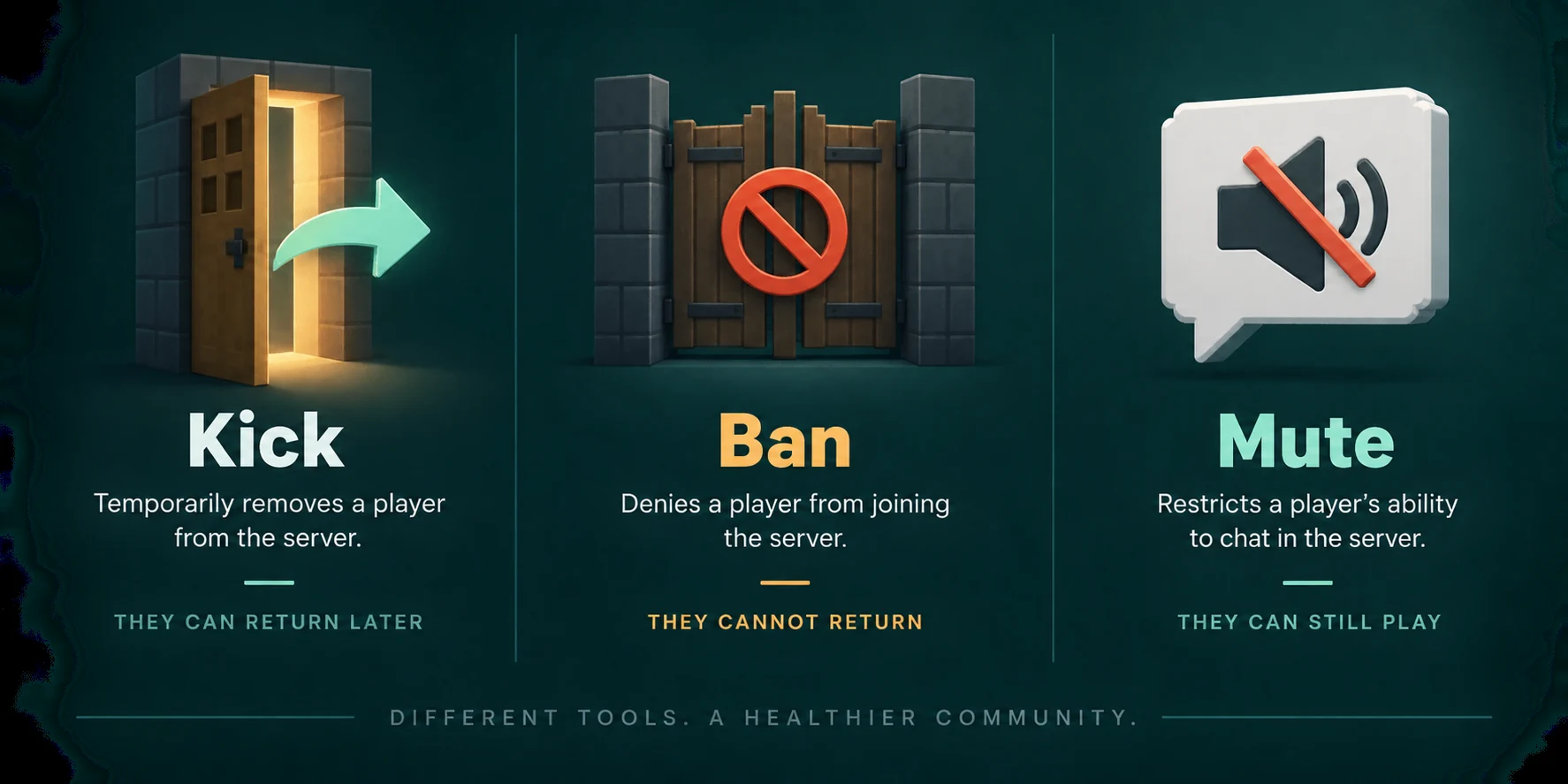
Start with the mildest step that solves the problem. A kick throws a player off and they can rejoin a second later, which is enough for someone who needs a nudge. A ban ties the account to a list and keeps it out for good. An IP ban blocks an internet connection, whoever uses it.
| Command | What it does | What gets around it |
|---|---|---|
kick <player> [reason] | Disconnects a player who is online | Joining again |
ban <player> [reason] | Keeps that account out, and kicks it if it is online | A second Minecraft account |
ban-ip <address or player> [reason] | Keeps out every connection from that address | A different network, such as mobile data |
pardon <player> | Lifts a ban on an account | |
pardon-ip <address> | Lifts a ban on an address | |
banlist [players|ips] | Shows who or what is banned, by whom, and why |
All six need operator level 3, and not one of them takes a duration.
A ban by name is stored against the account's UUID, not the name. Renaming the account does not get anyone back in. Two things the ban does not do: it leaves the player on your operator list and whitelist, so take those away as well when you mean it.
Kicking and banning from the console
On the Console tab the commands go in without a slash. In the game you put a slash in front and need level 3, which the operator level guide explains. Everything after the name is the reason, spaces included.
Console
kick RiverFox22 Stop spamming, last warning
ban RiverFox22 Took items from the spawn chests
banlist players
pardon RiverFox22| You type | The console answers |
|---|---|
kick with a reason | Kicked RiverFox22: Stop spamming, last warning |
ban with a reason | Banned RiverFox22: Took items from the spawn chests |
ban on someone already banned | Nothing changed. The player is already banned |
banlist players | There are 1 ban(s): and a line per ban: who, banned by whom, and the reason |
pardon | Unbanned RiverFox22 |
pardon on someone not banned | Nothing changed. The player isn't banned |
Write the reason for the player, not for yourself. A banned player who tries to join sees You are banned from this server. followed by your reason, and without one they read Banned by an operator. A kick without a reason says Kicked by an operator. A clear reason saves you a round of angry messages asking why.
You can ban a player who is offline. The server looks the name up among Java accounts, so check the spelling first: a typo either fails or, worse, bans a stranger who happens to own that name.
Banning from the Players tab
The Players tab in our panel does bans and unbans without a command. It has four lists: Recently seen, Operators, Whitelist and Bans. Recently seen holds up to 40 names of accounts that joined, which is handy when you cannot remember how a troublemaker spelled their name.
Find the player
Open Recently seen, or type in the search box. On the Bans list the Ban player button also takes a name you type yourself.
Open the menu
Click the three dots at the end of the row and choose Ban player.
Give a reason
The panel asks to confirm and offers a field called Reason (optional). Keep it short: it takes 120 characters on one line.
Check the Bans list
The player now carries a Banned label, with your reason under the name. Unban player in the same menu lets them back in.
With the server running, the panel types the ban or pardon command in the console for you, so the effect is the same as doing it by hand. With the server stopped, it checks the name with Mojang and writes the entry into banned-players.json, and the ban counts from the next start.
Three things the Players tab leaves to the console
It does not kick, it does not ban addresses, and it only accepts Java names of 2 to 16 letters, digits and underscores. A Bedrock name with a dot in front gets That is not a valid Minecraft username., so those players are handled in the console, as the Bedrock section below shows.
Inside banned-players.json and banned-ips.json
Both lists live as plain files in the main folder of the server, next to server.properties, and you can open them on the Files tab. Each ban is one entry:
banned-players.json
[
  {
    "uuid": "5f1c1e3a-8d2b-4c7e-9a41-2b6f0d9e7c13",
    "name": "RiverFox22",
    "created": "2026-09-14 21:04:37 +0000",
    "source": "MossyOak",
    "expires": "forever",
    "reason": "Took items from the spawn chests"
  }
]| Field | Meaning |
|---|---|
uuid and name | The account. The UUID is what counts; the name is there for you to read. |
ip | Only in banned-ips.json, in place of the two fields above |
created | When the ban was made, written as year, month, day, time and time zone offset |
source | Who made it, such as the operator who typed the command in the game, shown after banned by in banlist |
expires | forever, or an end date in the same form as created |
reason | The text the player sees |
A running server keeps both lists in memory and writes the whole file again whenever a ban changes. An edit made while it runs is lost at the next ban or unban. Stop the server, edit, then start it again.
Does an end date in expires work?
On Paper and Purpur, yes. Replace forever with a date such as 2026-09-21 18:00:00 +0000, and the player sees Your ban will be removed on with that moment when they try to join. After it passes, they get in.
On a vanilla server, do not count on it. Mojang's bug tracker holds a report of vanilla removing the expired entry and then tripping over the ban it just removed, so the player's join fails with an error instead of letting them in. That report was never marked as fixed. On vanilla, leave expires on forever and run pardon when the time is up, which always works.
What an IP ban can and cannot stop
ban-ip takes either an address or the name of a player who is online right now; for someone offline, it answers Invalid IP address or unknown player. It kicks everyone on that address at once, and the console tells you who: This ban affects 2 player(s): followed by the names.
- It stops a player who keeps making new accounts from the same home connection.
- It does not stop anyone who switches to mobile data, uses a VPN, or gets a new address from their provider after a router restart.
- It also catches brothers, sisters and housemates, and whole schools or dormitories that share one connection.
Look at the address before you ban it
Players who join with your server's address reach it through our routing, so the address the server logs is not always the player's own. Every join leaves a line on the Console tab such as RiverFox22[/203.0.113.7:51234] logged in with entity id 312 at (8.5, 64.0, 12.5). If two different players show the same address, an IP ban on it locks out everyone who arrives that way. Ban the account instead.
Console
ban-ip 203.0.113.7 Ban evasion with new accounts
banlist ips
pardon-ip 203.0.113.7
Timed bans and mutes need a plugin
Vanilla has no duration for a ban and no mute at all. The nearest thing to a mute is on the player's side: in Java Edition, the Social Interactions screen (P by default) has Hide in Chat for one player, but it only affects that viewer and resets when they join again. For a real three day ban or a one hour mute, a Paper or Purpur server needs a plugin.
| LibertyBans | EssentialsX | |
|---|---|---|
| Newest release | 1.1.4, July 2026, lists 26.2 | 2.22.0, May 2026, lists 26.1.2 and 1.21.11 |
| Runs on | Paper, Purpur, Folia and Velocity, among others | Paper and Spigot |
| Timed ban | /ban <player> 3d <reason> | /tempban <player> 3d [reason] |
| Mute | /mute <player> 1h <reason> | /mute <player> 1h [reason] |
| Time units | y, mo, w, d, h, m, s, or perm | y, mo, w, d, h, m, s |
| Where bans are kept | Its own database, with a history per player | The server's normal ban list, with an end date |
On Java Edition 26.2, LibertyBans is the one to pick: it is in the plugin catalog on the Plugins tab, and a ban without a time is permanent. Its bans live in its own storage, so they do not show on the Bans list of the Players tab. To carry over the bans you already have, check its import.yml and run /libertybans import vanilla. EssentialsX writes timed bans into banned-players.json, where the Players tab does see them, but its newest release stops at 26.1.2.
In chat, with LibertyBans
/ban RiverFox22 3d Griefing at spawn
/mute MossyOak 1h Spamming chat
/unban RiverFox22
Check the IP setting in LibertyBans
Its default address-strictness is NORMAL: an IP ban also keeps out every account that joined from that address before. Behind a shared address that can be a lot of accounts, so read the section above before you use /ipban.
Moderators need permissions rather than operator rights: libertybans.commands for any command, then libertybans.ban.do.target.uuid to ban players and libertybans.ban.undo.target.uuid to unban them, with the same pattern under libertybans.mute. A permissions plugin such as LuckPerms hands those out. Install one ban plugin, not two, because both claim /ban and the server picks either one.
Banning Bedrock players on a Crossplay server
On a Crossplay plan, Bedrock players join through Floodgate with a dot in front of their name, and their UUID starts with 00000000-0000-0000. Mojang has no Java account for those names, which changes how bans work for them.
Ban them while they are online
Type the name with the dot, as in
ban .StoneWren Mining under other players' bases. An online player is found by name, so this works.Expect pardon to fail later
Once they are offline,
pardon .StoneWrencan answerThat player does not exist, even though the entry sits inbanned-players.json.Unban through the file
Stop the server, open
banned-players.jsonon the Files tab, delete that player's entry including its braces and the comma between entries, save, and start the server.
The Players tab lists a banned Bedrock player on its Bans list, but it cannot unban a name with a dot, so the file is the way. For how Bedrock names and the whitelist fit together, see the Java and Bedrock guide.
A short routine before a ban
- Find out what happened. When blocks or chests are involved, a block log shows who did it; the griefing guide sets one up.
- Kick with a clear reason first, unless the damage is serious.
- Ban the account with a reason the player will understand, and take away operator rights and whitelist entries.
- Run
banlist playersto see that it landed. - Write down why, and for how long, so the next moderator knows when to lift it.
When the trouble is abusive chat rather than behaviour in the world, a mute may be fairer than a ban, and players can also report messages to Mojang. The chat reporting guide covers what that means for your server.
Sooner or later a banned player asks to be let back in. Minecraft ban appeal on astroworldmc.site has a form template for that request and steps for reviewing it fairly, so the answer does not depend on which moderator happens to read it.
Written and checked by the Lodehost team, last reviewed on 14 September 2026.