Lodehost
What a datapack can change
Datapacks are mostly plain text files that the game reads as its own rules. The vanilla game is built from a pack in the same format, which is why a datapack reaches so far: it adds to what is already there, or replaces it.
| Part of the game | What a pack might do with it |
|---|---|
| Crafting and smelting recipes | A recipe for saddles, rails from fewer iron ingots, extra stonecutter options |
| Drops from mobs, blocks and chests | Player heads on death, more string from spiders, different treasure in dungeon chests |
| Advancements | A set of goals for your own server, each with a reward |
| Functions | Commands that run every tick or on a delay, such as a scoreboard or a spawn teleport |
| World generation | New biomes, taller mountains, extra structures |
| Enchantments | Changed or entirely new enchantments |
What a datapack cannot do is add a block or a mob the game does not know yet. Packs that seem to do so dress up an existing block or item with a look from a resource pack. Anything truly new of that kind needs mods.
Datapacks, plugins or mods
| Question | Datapacks | Plugins | Mods |
|---|---|---|---|
| Which servers run them | Every Java server: vanilla, Paper, Purpur, Fabric, Forge and NeoForge | Paper and Purpur | The loader they were made for |
| What players install | Nothing, unless the pack comes with a resource pack | Nothing | Usually the same mods |
| Where they go | datapacks, inside the world folder | plugins | mods |
| Picked up without a restart | Partly, with reload | No | No |
Because they run everywhere, datapacks are the one kind of addition that survives a switch from vanilla to Paper or from Paper to Fabric. Choosing a loader for mods is a question of its own, answered in Fabric, Forge or NeoForge.
Installing a datapack on our panel
Check the version
Datapacks follow Minecraft releases more closely than most plugins do. Take the download that names the version your server runs; a pack for another release can load halfway or not at all.
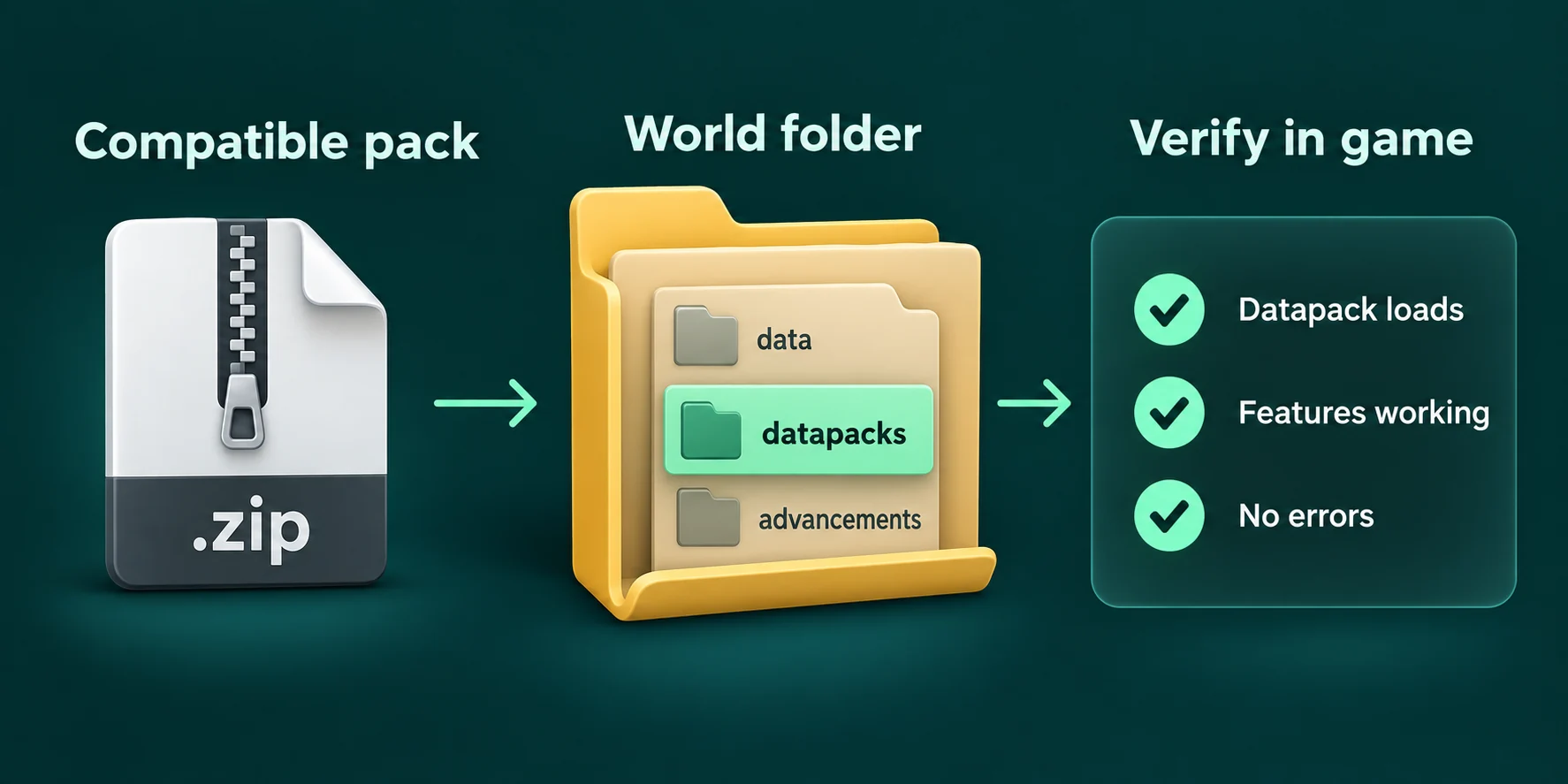
Open the world folder
On the Files tab, open the folder named after your world, which is
worldunlesslevel-namesays otherwise. Inside it, opendatapacks, or create that folder with New folder when it is not there yet.Upload the zip as it is
There is no need to unpack it. The game reads a zip directly, as long as
pack.mcmetasits at the top of the zip and not inside another folder.Load it
Type
reloadin the Console tab, thendatapack listto find the pack among the enabled ones. Packs that change terrain or enchantments need a restart instead.
A pack inside a pack
Some downloads wrap the real pack in a second zip or an extra folder. When datapack list does not show your pack, open the download on your computer: the folder that holds pack.mcmeta and data is the pack itself, and that is what belongs in datapacks.
When reload is enough, and when it is not
reload reads the datapacks again while everyone stays online, and it also enables packs that were added to the folder since the last start. It covers most of what a pack changes, though not everything.
| Changed by the pack | Picked up by reload |
|---|---|
| Recipes and advancements | Yes |
| Functions and tags | Yes |
| Drops, predicates and item modifiers | Yes |
| Structure templates | Yes |
| Biomes, terrain, dimensions and where structures generate | No, restart the server |
| Enchantments | No, restart the server |
When a reload goes wrong, the console reports that the reload failed and that the old data stays in use. The lines just above that message name the file that broke, which is the quickest way to a typo or to a pack made for another version.
Packs that change terrain want fresh land
A world generation pack only shapes chunks that are generated after it became active. Land that players already explored keeps its old terrain, so a biome pack added to an old world shows up far from spawn, often with a visible seam where old and new land meet.
For the whole world to follow the pack, the pack has to be in place before the world is created. A world reset in the panel does not arrange that for you: it deletes the world folder, and the datapacks folder inside it goes along. This order works:
Save what you have
Download the zips from
world/datapacksto your computer, and if your plan has backup slots, make a backup on the Backups tab.Stop the server and remove the old world
Delete the world folders on the Files tab:
world, and on Paper or Purpur alsoworld_netherandworld_the_end.Put the packs back first
Create a new
worldfolder with New folder, thendatapacksinside it, and upload the zips there.Start the server
The new world is generated with the packs already active, from the very first chunk.
Order, conflicts and the datapack command
When two packs change the same recipe or the same drop, the pack that comes later in the enabled list wins. Tags work differently: packs add to a tag together, unless one of them replaces it outright. The world stores the order, so it survives restarts.
Console
datapack list
datapack disable "file/more_rails.zip"
datapack enable "file/more_rails.zip" last
datapack enable "file/more_rails.zip" before "file/terrain.zip"
Packs you added yourself are called file/ followed by the file name, and the quotes are needed because of that slash. first and last move a pack to either end of the list, while before and after place it right next to another pack.
Experimental packs and the required flags message
Minecraft ships a few packs of its own next to vanilla: trade_rebalance for reworked villager trades, minecart_improvements and redstone_experiments. They switch on features that are still being tested, and the game only allows that when a world is first created.
Enabling one of them later ends in a message that the pack cannot be enabled because required flags are not enabled in this world. Third-party packs that build on such a feature give the same message. The way in is initial-enabled-packs in server.properties, for example initial-enabled-packs=vanilla,trade_rebalance, set before a new world is generated. The server.properties guide covers the lines around it.
Removing a datapack
- Disable it first.
datapack disableswitches the pack off straight away, and the world remembers that choice. - Then delete the file from
world/datapacks, so nobody switches it back on by accident. - What it made stays. Items crafted with its recipes, blocks placed with its help and structures it generated remain in the world.
- Back up before removing a terrain pack. Chunks created by a world generation pack can look strange, or fill the log with errors, once that pack is gone.
Datapacks and server performance
Most packs cost nothing you would notice. The exception is a pack whose functions run every tick, twenty times a second, and search the loaded world for entities each time. When the server slows down right after a new pack, a profile with spark shows how much of every tick goes to running functions, which tells you whether the pack is to blame.
Written and checked by the Lodehost team, last reviewed on 14 September 2026.