Lodehost
What decides where a player appears
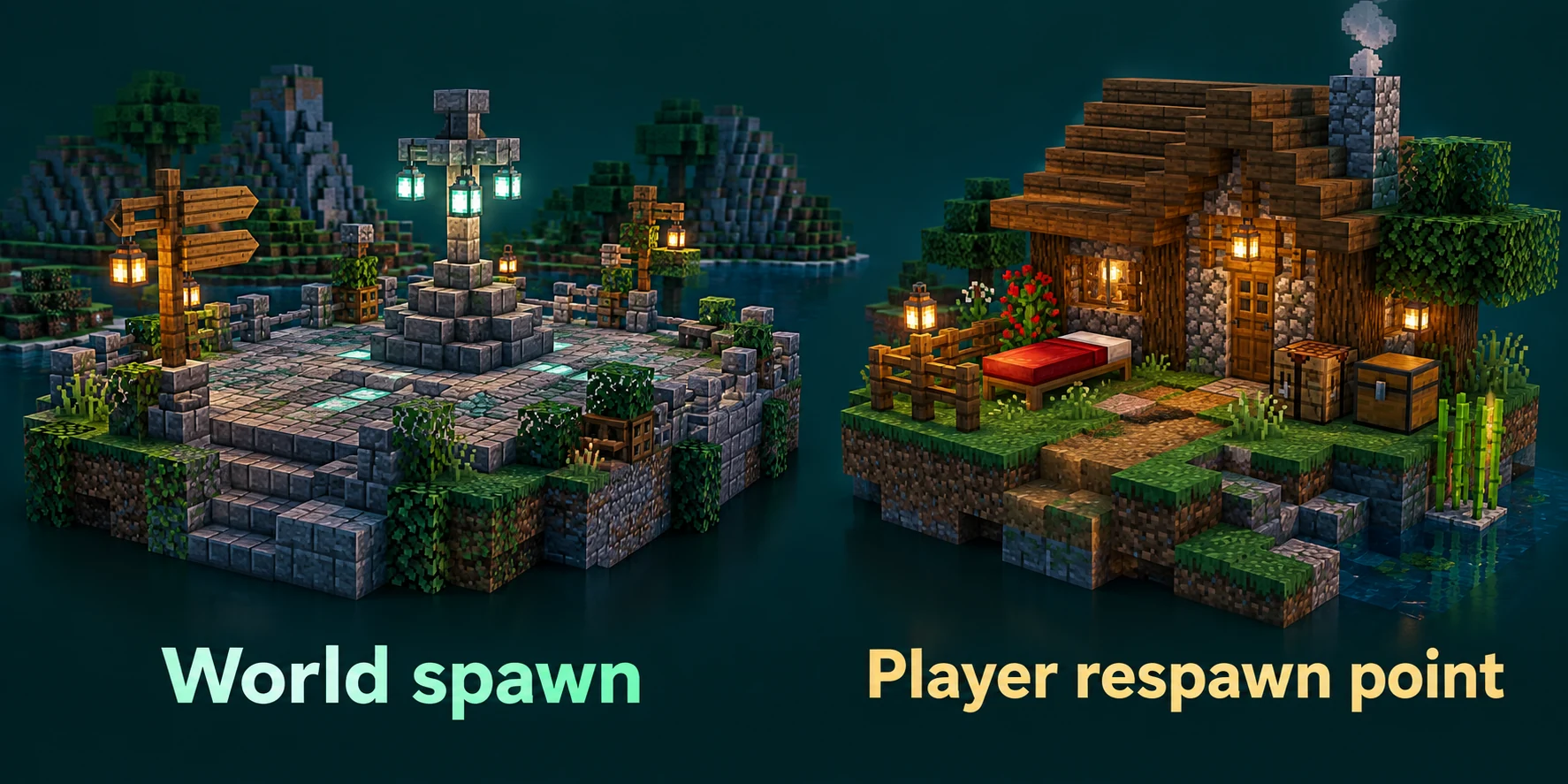
The game does not keep one spawn for everyone. It works down a short list and uses the first thing that applies to that player. Most complaints about the wrong spawn come from forgetting that an earlier item on the list wins.
| Situation | Where the player appears |
|---|---|
| A returning player logs in | Where they logged out. A new world spawn does not move them. |
| A player dies with a working bed or charged anchor | Next to that bed or anchor |
A player dies after spawnpoint was used on them | At that personal spawn point |
| A first join, or a death with nothing of their own | Somewhere around the world spawn, within the respawn radius |
| A spawn plugin is installed | Wherever that plugin sends them, often before any of the above |
Moving the world spawn with setworldspawn
setworldspawn needs operator level 2 in the game. Its arguments are a block position and a rotation, and both are optional. Leave out the position and it takes the block you stand on; leave out the rotation and players face south.
In the game
/setworldspawn
/setworldspawn ~ ~ ~ 180 0
/setworldspawn 120 72 -340 90 0
The rotation is two numbers: first the direction players face, then how far they look up or down. For the direction, 0 is south, 90 is west, 180 is north and -90 is east. For the second number 0 looks straight ahead, positive values look down and negative values look up. ~ ~ keeps your own current view, which is the easiest way to aim new players at a sign or a door.
| First number | Players face |
|---|---|
0 | South |
90 | West |
180 | North |
-90 | East |
The Console tab runs commands as the server itself, so type them without a slash and always give coordinates, because the console has no spot of its own that matches where you are standing. Walk to the block first, press F3 and copy the block coordinates it shows.
Console
setworldspawn 120 72 -340 90 0
execute in minecraft:the_nether run setworldspawn 16 70 16
Up to 1.21.8 the world spawn could only sit in the overworld. Since 1.21.9 it can be in any dimension: run the command while you are in the Nether or the End, or wrap it in execute in from the console as above, and new players without a spawn of their own start there. The optional second number for looking up or down arrived in the same release, so older guides show only one.
The respawn radius, and why players land on the roof
Players without a bed are not put on the spawn block itself. The game rule respawn_radius, 10 by default, lets the game pick a spot up to ten blocks away in any direction, a square of 21 by 21 blocks. Inside that square it tries random columns and puts the player on the highest surface it finds, and in a built-up spawn that highest surface is a roof, a wall top or a tree.
Console
gamerule respawn_radius
gamerule respawn_radius 0
At 0 the player appears on the spawn block, shifted only as far as needed to stand somewhere without being stuck in a block or in water. On versions before 1.21.11 the same rule is called spawnRadius, and a current server answers that old name with an error. The Game rules card on the World tab does not list this rule, so set it in the console.
- A world border closer than the radius shrinks it. Players never spawn outside the border.
- Adventure as the default game mode skips the scatter. With
gamemodeset to adventure inserver.properties, players go to the spawn block whatever the radius says. - Give the spawn block some headroom. A spawn inside a wall or a solid floor gets moved up or down until a player fits there.
Beds, respawn anchors and personal spawn points
Right-clicking a bed sets a player's own spawn, by night or by day, and the game confirms it with Respawn point set. That point beats the world spawn for as long as the bed is there and the space next to it is open. When it is gone or blocked, the player sees You have no home bed or charged respawn anchor, or it was obstructed, and goes back to the world spawn.
| Bed | Respawn anchor | |
|---|---|---|
| Works in | The overworld | The Nether |
| Used anywhere else | Explodes | Explodes |
| Needs | Nothing | Glowstone blocks as charges, up to 4 |
| Each respawn | Costs nothing | Uses one charge |
A player whose bed is gone keeps landing at world spawn, which is often the real answer to a report about the wrong spawn. For a personal spawn without a bed, staff can use spawnpoint, which takes players, a position and a rotation in the same form as setworldspawn:
Console
spawnpoint Kai 120 72 -340
spawnpoint @a 120 72 -340 180 0
The next bed or anchor the player uses replaces that point. A player who already joined still logs back in where they left; to send someone back to the world spawn as if they were new, the guide to resetting player data shows how.
Spawn chunks no longer stay loaded
For years the area around world spawn stayed loaded even with nobody near it, and players built farms there that ran around the clock. Version 1.20.5 added the game rule spawnChunkRadius and made that area much smaller. Version 1.21.9 took spawn chunks out of the game along with the rule.
On 1.21.9 and later, a dimension keeps working while it has players in it, forceloaded chunks, active portals or ender pearls in flight. The spawn area gets no special treatment: when the last player walks away, it stops like any other place. Moving the spawn therefore no longer moves a loaded area with it.
A farm at spawn stops when players leave
Iron farms, item sorters and redstone clocks at spawn that worked on older versions stand still once nobody is nearby. If one has to keep going, forceload just the chunks it sits in; the forceload guide explains how, and what it costs.
A spawn from EssentialsX or Multiverse
Spawn plugins keep a location of their own next to the world spawn and move players there when they join, respawn or type /spawn. That is handy, and it is also the most common reason setworldspawn seems to do nothing.
EssentialsX Spawn
/setspawn saves a spawn for the group default, and /spawn goes there. Once that spawn exists, EssentialsX Spawn sends every player who dies to it, also players with a bed, unless respawn-at-home is set to true in its config.yml. First joins follow the newbies section of that file instead of the world spawn. The EssentialsX guide covers the download for your version, the permissions and those settings.
Multiverse-Core
Multiverse gives every world its own spawn. Stand in the world and type /mv setspawn, and /mv spawn takes players to the spawn of the world they are in. In its config.yml, first-spawn-override with first-spawn-location picks the world for first joins, enable-join-destination with join-destination sends players to one place at every login, and enforce-respawn-at-world-spawn, on by default, sends dying players to the spawn of the world they respawn in unless they have a bed or anchor. Version 5.8.1 supports 26.2 on Paper and Purpur, and the Multiverse guide walks through a setup with several worlds.
Set the spawn in one place
With a spawn plugin installed, set the spawn with that plugin and point the world spawn at the same block. Two different spawns means players arrive at one spot on their first join and at another after dying.
A spawn area that loads fast
Because spawn is no longer kept in memory, the first player after a restart makes the server load everything around the spawn as they arrive. A spawn that is quick to load makes every first impression better, and it comes down to two things: land that already exists, and little in it that has to think every tick.
Pick the spot before you build
Move the world spawn first and build around it. Moving it later leaves the hall where it is and sends new players somewhere else.
Generate the land around it
The Pre-generate the world card on the World tab generates a square centred on block 0, 0 of the overworld. When your spawn is near there, the card is enough. For a spawn further out, or in the Nether or the End,
chunky centerwith your spawn coordinates does the same around the right spot, as the pre-generation guide shows.Keep entities out of the hall
Item frames, armor stands, villagers and animal pens are all entities that the server handles while the area is loaded. A few for decoration are fine; a trading hall at spawn is not.
No machines at spawn
Hoppers, furnace arrays and redstone clocks keep working for as long as someone is near. Put shops and farms a walk away, where only the players using them load them.
A lower view distance also shrinks the area every arriving player loads, and the guide to view and simulation distance explains the trade-off. To keep visitors from breaking the hall, Spawn protection (blocks) in the Gameplay group of the Settings tab guards a square around world spawn, 16 blocks each way by default; the griefing guide explains the catch that comes with it.
What to build in that hall is a question of its own. Minecraft server spawn ideas on astroworldmc.site has 20 themes and features, from a village square to a portal hall, and a layout that a new player understands without reading a sign.
Players spawn in the wrong place: a checklist
| What you see | Likely cause | Fix |
|---|---|---|
| New players land a few blocks off, sometimes on a roof | respawn_radius is still 10 | gamerule respawn_radius 0 |
| You moved spawn but you still log in at the old spot | Returning players keep their saved position | Test with an account that never joined, or walk there |
| Players respawn at spawn despite having a bed | EssentialsX Spawn with respawn-at-home off, or a missing or blocked bed | Check its config.yml, then the bed |
| First join and respawn go to two different places | A plugin spawn and the world spawn differ | Set both on the same block |
setworldspawn works but nobody arrives there | A plugin sends players elsewhere on join | Check spawn-on-join in EssentialsX or join-destination in Multiverse |
gamerule spawnRadius gives an error | The rule was renamed in 1.21.11 | Use respawn_radius |
Written and checked by the Lodehost team, last reviewed on 14 September 2026.