Lodehost
Why a new seed seems to do nothing
The server reads level-seed and level-type from server.properties once, at the moment it creates a world. From then on the world keeps its own copy of both and ignores those lines. Change the seed of a world that already exists and nothing happens, not even in land nobody has visited yet, because new chunks are generated with the seed the world was created with.
A new seed therefore always means a new world. On our panel that goes like this:
- The Reset world card on the World tab. Type the seed under Seed for the new world. The card saves it in
server.properties, makes a backup on plans with backup slots, deletes the old world and starts the server, which then generates the new one. - A different world type as well? Choose it under World type in the World group of the Settings tab first. The reset leaves that setting alone, so the new world is generated with it.
The old world goes
A reset deletes the overworld, the Nether and the End at once. Check that a recent backup exists, or download what you want to keep from the Files tab, before you confirm.
How to change the seed of a Minecraft server
The Reset world card is the quick route. If you would rather keep the current world on disk while you try another seed, or you want to see every step yourself, the same change works by hand in the Files tab. Nothing gets deleted this way: the old world simply waits in a folder with a new name.
Write down the seed you have now
Type
seedin the console and copy the number somewhere safe. With it you can always generate this landscape again later, even after the folder is gone.Stop the server
A running server keeps writing to its world folder. Renaming that folder while it is open can leave half saved chunks behind, so stop it first and wait until the console says it has stopped.
Set the new seed in server.properties
Open
server.propertiesin the Files tab, choose Edit, and put the new number afterlevel-seed=. Leave it empty for a random world. Save the file.Rename the world folder
Rename
worldto something likeworld-old. On Paper and Purpur the Nether and the End have folders of their own,world_netherandworld_the_end, so rename those as well. On vanilla, Fabric and Forge both dimensions live insideworld.Start the server
It finds no world under the old name and creates a fresh one from the seed in the file. Join and check spawn, or type
seedagain to confirm the number took.
| Route | What happens to the old world | Good for |
|---|---|---|
| Reset world card | Deleted, after a backup on plans with backup slots | A clean start in one click |
| Rename the folder by hand | Stays on disk as world-old | Trying a seed while keeping a way back |
Edit only level-seed | Nothing changes at all | Nothing: the existing world keeps its own seed |
An old world folder still counts toward your disk space. Zip it and download it, or delete it once you are sure you will not go back.
Going back is the same move in reverse: stop the server, rename the new world out of the way and give world-old its original name again. Players find the world exactly as they left it, because a world stores its seed inside its own files.
Numbers, words and random seeds
Underneath, a seed is a whole number somewhere between roughly minus and plus nine quintillion. Each of those numbers gives a different world, and the same number gives the same world again on the same version.
| What you type | What the game does with it |
|---|---|
| Nothing | Picks a random seed |
A whole number, such as 123456789 | Uses exactly that number |
Text, such as stonebrook | Turns the text into a number first |
| A number too long to fit | Treats it as text |
Text works, but it only leads to about four billion different worlds, because words are turned into a much smaller number than the game can use. That is why seeds shared online are nearly always plain numbers, and why copying the number is the way to get the exact world someone showed.
The seed field on the Reset world card takes up to 64 characters: letters, digits, spaces, hyphens and underscores. To see the seed of the world you have now, type seed in the console.
Java and Bedrock seeds
Since 1.18, Java and Bedrock build the same terrain and the same biomes from the same seed. Mountains, rivers and biome borders line up, so a seed found on one edition gives the same shape of land on the other.
What stands on that land does not match. Villages, temples and other structures, trees and ores, some of the caves, and the mobs are placed by each edition in its own way. A Bedrock seed with a village right at spawn can put that village somewhere else on Java, or nowhere nearby at all.
On a Crossplay server, where Bedrock players join a Java world, the Java result is what counts: the server generates the world, so everyone walks through the Java version of it.
The same seed on another version
A seed belongs with the version that generates the world. Big updates change world generation, so a seed from a video made a few years ago can give a very different spawn on the version you run today.
- Check the version the seed was shared for, and compare it with the version of your server.
- Try it in singleplayer first. Create a world with the same seed on the same version and fly around spawn before you reset a server for it.
- Match the world type. A seed shared for Large Biomes or Amplified looks nothing like it on a Default world.
Updating the server keeps every chunk that already exists. Only land generated after the update follows the new version, and a seam can show where old and new land meet.
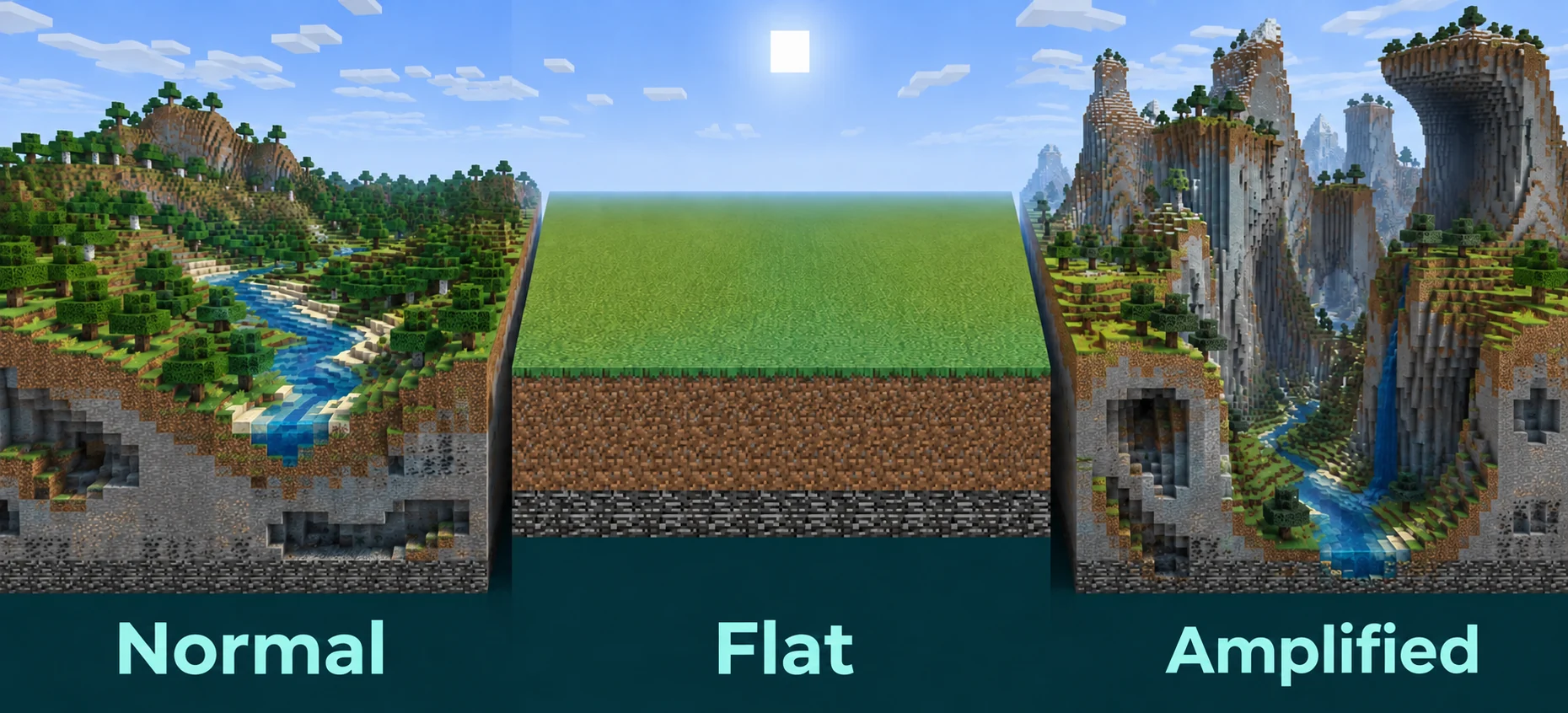
The five world types
The world type is set under World type in the World group of the Settings tab, and just like the seed it only counts when a world is created.
| World type | Value in server.properties | What you get |
|---|---|---|
| Default | minecraft:normal | The usual survival world, with every biome and structure. |
| Superflat | minecraft:flat | Flat layers of blocks without hills or caves, popular for creative building and redstone. |
| Large Biomes | minecraft:large_biomes | Normal terrain with every biome stretched much wider, so reaching another biome takes longer. |
| Amplified | minecraft:amplified | Towering mountains and deep valleys in a far taller landscape. |
| Single Biome | minecraft:single_biome_surface | One biome across the whole overworld. |
Amplified asks a lot of the server
Amplified terrain is far taller than normal, and generating it while players explore costs the server noticeably more than a Default world does. Generating the land ahead of time gets that work done before players arrive.
Superflat with your own layers
A Superflat world with layers other than grass on dirt is described in generator-settings, next to level-type=minecraft:flat. The layers are listed from the bottom up, followed by the biome:
server.properties
level-type=minecraft:flat
generator-settings={"layers":[{"block":"minecraft:bedrock","height":1},{"block":"minecraft:stone","height":3},{"block":"minecraft:sandstone","height":2}],"biome":"minecraft:desert"}
For every other world type, leave generator-settings at its default of {}. Set it before the world exists, because just like the seed it is read only once.
A world without structures
Turning off Generate structures in the World group leaves villages, temples, strongholds and all other structures out of a new world. That includes the strongholds with their End portals, so a survival world without structures offers no way to the End. Trees, ores and caves still generate, since none of those count as structures.
Written and checked by the Lodehost team, last reviewed on 24 September 2026.