Lodehost
What anti-xray changes, and what it leaves alone
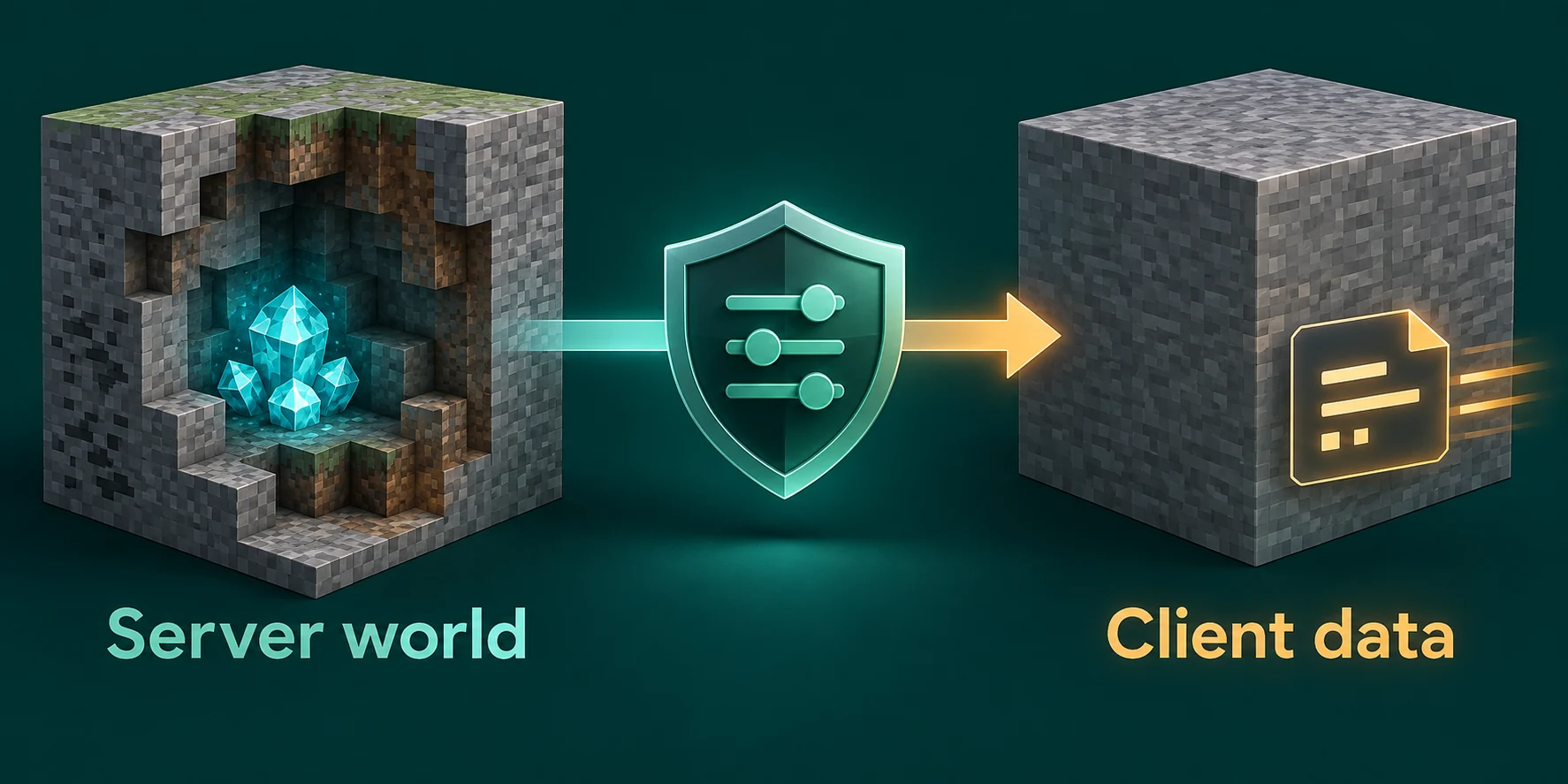
An X-ray mod or resource pack can only show what the server sent, and Minecraft sends every block of a chunk, buried diamonds included. Paper's anti-xray edits that copy on its way out: ores nobody could see get swapped for stone or mixed in with fakes. The chunk saved on disk stays as it was, so switching the feature off later loses nothing. It is part of Paper, with nothing to install, and stays off until you enable it.
| Server software | Anti-xray | What to do |
|---|---|---|
| Paper | Built in, off by default | Enable it in Paper's world config |
| Purpur | Inherited from Paper | Use the same files and options |
| Vanilla | None | Switch to Paper or Purpur; vanilla loads neither plugins nor mods |
| Fabric and NeoForge | None built in | Add the AntiXray mod |
Where the settings live on Paper 26.x
Paper keeps world settings in two layers. config/paper-world-defaults.yml applies to every world, and a paper-world.yml inside a dimension's folder overrides those defaults for that dimension alone. Since 26.1 the dimensions live inside the main world folder, and their files moved with them.
| File | Applies to |
|---|---|
config/paper-world-defaults.yml | Every dimension, unless its own file says otherwise |
world/dimensions/minecraft/overworld/paper-world.yml | The overworld |
world/dimensions/minecraft/the_nether/paper-world.yml | The Nether |
world/dimensions/minecraft/the_end/paper-world.yml | The End |
world_nether/paper-world.yml and world_the_end/paper-world.yml | The Nether and the End on Paper 1.21.11 and older |
world stands for the level-name in server.properties.
Open the file
On the Files tab, click the
configfolder and press Edit next topaper-world-defaults.yml. For one dimension, openworld/dimensions/minecraft, then that dimension's folder, and edit itspaper-world.yml.Keep a copy and mind the spaces
Press Download on the file first. YAML reads indentation, so indent with spaces, never tabs. As the panel warns, a broken config can stop the server from booting.
Save and restart
Press Save, then Restart on the Console tab. Anti-xray changes only take effect when the server starts.
Every option and its default
| Option under anticheat.anti-xray | Default | What it does |
|---|---|---|
enabled | false | Switches anti-xray on for the worlds this file covers. |
engine-mode | 1 | How blocks are hidden: 1, 2 or 3. |
max-block-height | 64 | Only blocks below this Y level are touched. Paper rounds it down to a multiple of 16, so 70 behaves like 64. |
update-radius | 2 | How far around a block being mined the real blocks are revealed: 0, 1 or 2. |
lava-obscures | false | When true, still lava counts as cover. Works poorly with ores that do not look like stone. |
use-permission | false | When true, players holding paper.antixray.bypass see the real blocks. |
hidden-blocks | 23 blocks | Mode 1: the blocks to hide. Modes 2 and 3: the blocks used as fakes. |
replacement-blocks | stone, oak_planks, deepslate | Modes 2 and 3 only: blocks replaced by fakes without being used as fakes. |
The default hidden-blocks list goes beyond ores: next to every ore, its deepslate version and the raw copper and raw iron blocks, it holds chest, ender_chest, obsidian, mossy_cobblestone and clay.
A block is only hidden when it is covered on all sides. Full solid blocks such as stone count as cover. Air, water and glass do not, and neither do spawners, barriers, shulker boxes, slime blocks and mangrove roots.
The update radius keeps mining normal
When a player starts breaking a block, or a solid block turns see-through, Paper sends the true version of the hidden blocks around it: the six touching blocks at radius 1, up to 24 positions at radius 2. At 0 nothing is sent, which Paper treats as a testing setting.
Letting staff see the real world
Operators hold paper.antixray.bypass unless something takes it away, so with use-permission: true every operator mines without fakes. A permissions plugin such as LuckPerms, from the Plugin catalog on the Plugins tab, hands it to a moderator or takes it from an operator:
Console
lp user Kai permission set paper.antixray.bypass true
lp user Mara permission set paper.antixray.bypass false
What each engine mode shows a cheater
| Mode | Paper's name | What an X-ray user sees | Cost |
|---|---|---|---|
1 | hide ores | Stone where buried ores were: deepslate below Y 0, netherrack in the Nether, end stone in the End | Lightest, above all for players' computers |
2 | obfuscate | Every hidden and replacement block turned into a random fake, so real ores drown among fakes | More for players' computers to draw |
3 | obfuscate layer | The same flood of fakes, with one random block per layer of a chunk | About half the data of mode 2 when a player joins |
Mode 1 hides only ores wrapped in solid blocks on every side. Ores in a cave wall or on a lake bed stay as they are, so a cheater still spots everything that borders open space.
In modes 2 and 3 the fakes block the view of real ores. Put air in hidden-blocks and the fakes include holes, which also works against cave finders, but Paper warns it can drop players' frame rates. Blocks that hold items can be hidden but never used as fakes, so chest goes in replacement-blocks, where it also hides buried treasure once max-block-height reaches that high.
Settings for the overworld and the Nether
This set uses mode 3. Replace the whole anti-xray block in config/paper-world-defaults.yml with it:
config/paper-world-defaults.yml
anticheat:
  anti-xray:
    enabled: true
    engine-mode: 3
    hidden-blocks: [copper_ore, deepslate_copper_ore, raw_copper_block,
      diamond_ore, deepslate_diamond_ore, gold_ore, deepslate_gold_ore,
      iron_ore, deepslate_iron_ore, raw_iron_block, lapis_ore,
      deepslate_lapis_ore, redstone_ore, deepslate_redstone_ore]
    lava-obscures: false
    max-block-height: 64
    replacement-blocks: [chest, amethyst_block, andesite, budding_amethyst,
      calcite, coal_ore, deepslate_coal_ore, deepslate, diorite, dirt,
      emerald_ore, deepslate_emerald_ore, granite, gravel, oak_planks,
      smooth_basalt, stone, tuff]
    update-radius: 2
    use-permission: false
Coal and emerald ores sit in replacement-blocks: they vanish from X-ray view but never appear as fakes. Against cave finders, add air as the first entry of hidden-blocks. Paper notes that since 1.18 some ores generate much higher than 64, so raise max-block-height in steps of 16 if you want those hidden too; each step adds work per chunk.
The Nether needs a list of its own. This goes in the Nether's paper-world.yml:
world/dimensions/minecraft/the_nether/paper-world.yml
anticheat:
  anti-xray:
    enabled: true
    engine-mode: 3
    hidden-blocks: [ancient_debris, bone_block, glowstone, magma_block,
      nether_bricks, nether_gold_ore, nether_quartz_ore,
      polished_blackstone_bricks]
    lava-obscures: false
    max-block-height: 128
    replacement-blocks: [basalt, blackstone, gravel, netherrack, soul_sand,
      soul_soil]
    update-radius: 2
    use-permission: false
At 128 the Nether is covered up to its bedrock roof, and the bricks and bone blocks keep fortresses, bastions and fossils from standing out. For the End, Paper advises leaving anti-xray off:
world/dimensions/minecraft/the_end/paper-world.yml
anticheat:
  anti-xray:
    enabled: false
Prefer mode 1? Set engine-mode: 1, move the coal and emerald ores into hidden-blocks together with chest, and set replacement-blocks: [], since mode 1 ignores that list. In the Nether, mode 1 only needs ancient_debris, nether_gold_ore and nether_quartz_ore.
What it costs the server and the players
Anti-xray works on chunks as they go out to players, plus a few block updates whenever someone mines, so players who roam and load new chunks cause the most work.
- Height. Only the part of a chunk below
max-block-heightis reworked. - Mode. Mode 1 is the lightest. Modes 2 and 3 fill chunks with fakes that every player's computer has to draw, and
airin the list is what Paper links to frame drops. - Joining. Mode 3 sends roughly half the data of mode 2 when a player joins.
- Dimensions. Leaving the End off saves the work there entirely.
Measure rather than guess: record a spark profile on a busy evening before and after, as the spark guide explains. If sending chunks turns out heavy, a smaller view distance cuts how many chunks each player receives.
Test it with your own eyes
Check the values arrived
After the restart, record a short spark profile and open its link. The viewer shows the configuration the server runs with, so you can confirm
enabled: truemade it in.Look through the stone
While
use-permissionisfalse, operators get the fakes too, so your own account is a fair test. Load a resource pack that makes stone see-through and go underground below Y 64.Compare with your mode
Mode 1 should show stone, with ores only along caves. Modes 2 and 3 should show a dense spray of ores that are mostly not there.
Mine toward a real ore
Start breaking the block beside an ore you know is real. The ore shows up as soon as you begin, which is the update radius at work.
A restart kicks everyone
A typo can keep the server from starting, and every change needs a restart. Change one setting at a time, keep a copy of the old file, and restart at a quiet hour.
What anti-xray cannot stop
- Ores exposed to air or water. Cave walls and lake beds stay visible; modes 2 and 3 only surround them with fakes.
- Dungeon chests. They stand in open air with nothing to hide behind.
- Anything above `max-block-height`.
- Range extension. A modified client can still see real ores somewhat further than intended. Paper points to a separate anti-cheat plugin for that.
- Seed reversing. A client that works out the world seed knows where every ore generated.
generate-random-seeds-for-all: trueunderfeature-seedsmakes that harder, as does a different seed per world, but neither moves ores in terrain that already exists. - Staff with the bypass. With
use-permission: true, every operator sees the real blocks.
If it seems to do nothing below Y 0, the file is probably out of date: a list from before 1.18 lacks deepslate and the deepslate ores. For a new world, the seed guide covers choosing a seed of your own.
Purpur, vanilla, Fabric and NeoForge
Purpur runs Paper's anti-xray unchanged. A vanilla server has none and cannot load plugins or mods; switch it to Paper or Purpur on the Settings tab, as Paper vs Purpur vs Spigot describes, and the world comes along.
On Fabric and NeoForge, the AntiXray mod brings the same three engine modes, with builds for 26.2. It runs on the server only, so players install nothing. Find it with Search mods on the Mods tab, press Verify & install and restart. On Fabric its settings live in config/antixray.toml, one section per dimension such as [the_nether], with keys like engineMode and maxBlockHeight. Its block lists accept tags, so #c:ores takes in ores from other mods that carry that tag.
Written and checked by the Lodehost team, last reviewed on 14 September 2026.