Lodehost
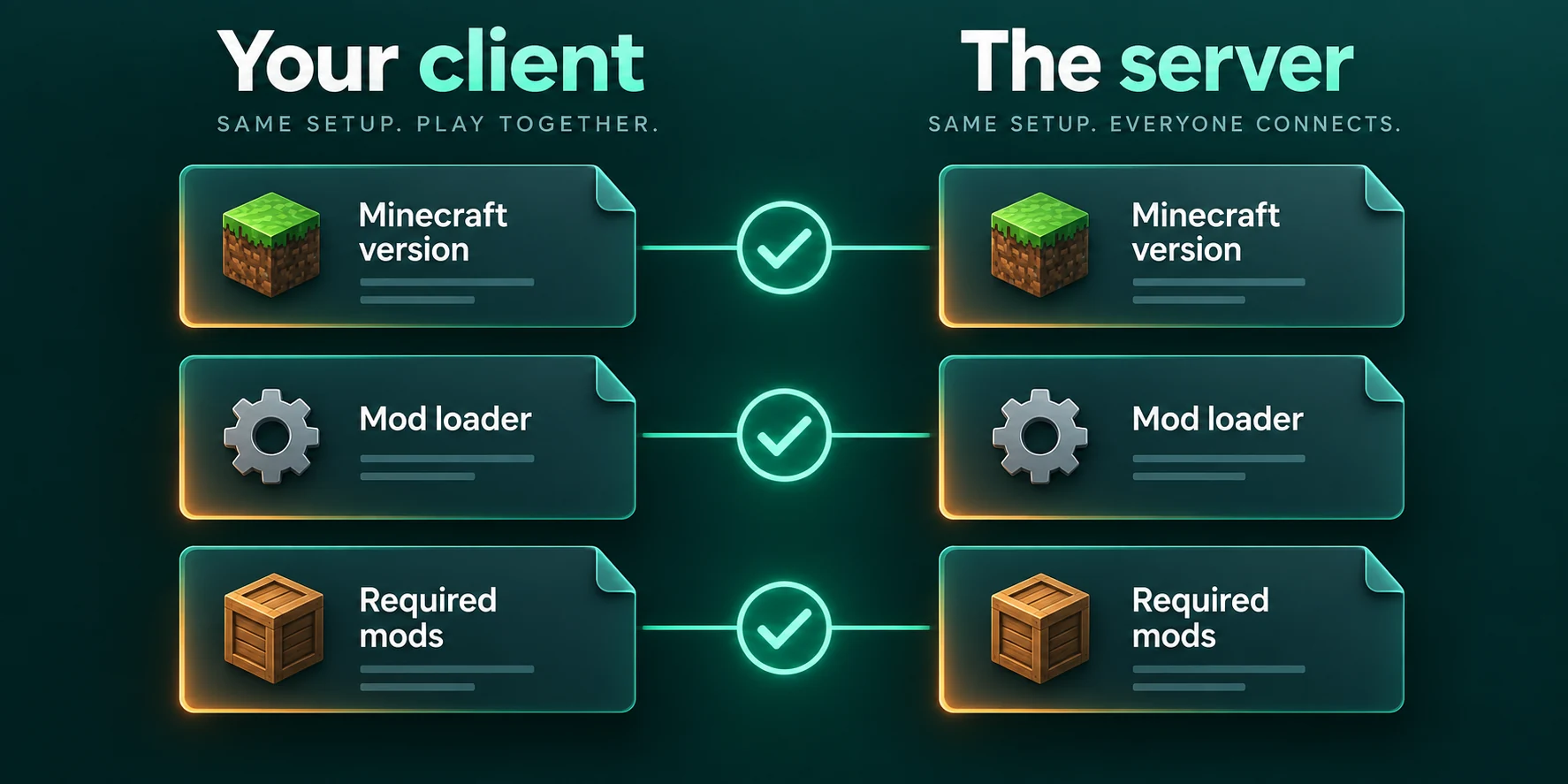
What has to match between server and players
When a player connects, the server and the player's game compare notes. Blocks, items, mobs and network messages that a mod adds have to exist on both ends, or the two sides cannot talk about them. Three things need to line up before anyone gets past the loading screen.
| What | Why it matters | Where you see the server's value |
|---|---|---|
| Minecraft version | The base game refuses a different version, loader or not. | Under the Verified Modrinth catalog heading on the Mods tab |
| Loader | A Fabric game cannot join a NeoForge server, and the reverse fails too. | The same line under that heading on the Mods tab |
| Content mods and their versions | Anything that adds blocks, items, mobs or its own network messages must be on both sides. | Installed mods on the Mods tab, or the mods folder on the Files tab |
Not every mod belongs on both sides, and that is where most confusion starts: mods that only change what a player sees can stay on the player's computer. If you have not picked a loader yet, read Fabric, Forge or NeoForge first.
Joining a server that runs a modpack
A modpack makes joining easy, because the pack author has already decided which files go where. The one thing players must get right is the version of the pack. A newer release can carry different mods, and the join screen treats that as a mismatch.
Write down the pack version when you install it
For a CurseForge or Feed the Beast pack, the confirmation before installing names the pack and the version you picked. A Modrinth pack takes the newest release that fits your server type and version, or the newest build when there is no release, and the message after installing names that version. Note it then: the list under Versions on the Mods tab shows every version you could install, newest first, not the one your server runs.
Send your friends the name and the exact version
The name alone is not enough, because a launcher offers the newest version first.
Install that version in a launcher
The table below shows where each launcher lets you choose it. Start the pack once on its own, so a broken install shows up as a broken install and not as a connection problem.
Join with the address from the panel
Add the server under Multiplayer and connect.
| Launcher | Packs it installs | Picking a version |
|---|---|---|
| CurseForge app | CurseForge | Under My Modpacks, hover over the pack, click the small arrows button next to Play, choose the version and click Continue. |
| FTB App | Feed the Beast and CurseForge | Browse, open the pack, click Install, then select the version before installing. |
| Modrinth App | Modrinth | Browse, open the pack and click Install. If it does not offer the version your server runs, install the pack in Prism Launcher instead. |
| Prism Launcher | CurseForge, Feed the Beast and Modrinth, plus .zip and .mrpack files | In New Instance, open the CurseForge or Modrinth page and set Version selected. |
In the CurseForge app, a profile with Allow content management switched on cannot change versions; turn it off in Profile Options first.
Keep a copy of the world before you update the pack
Moving the server to a newer pack version locks out everyone still on the old one. A newer version can also leave out mods, and anything those mods added disappears from the world the first time it starts without them. Stop the server, tick the world folder on the Files tab, click Zip and download the archive, or make a backup if your plan has backup slots. Then update the server and post the new version where your players will see it.
Joining with a mod list you built yourself
- Install the same loader for the same Minecraft version. In the Fabric installer, choose the version and click Install with Create Profile ticked, then pick the Fabric profile in the Minecraft Launcher and give it a game directory of its own. In the NeoForge installer, choose Install client and Proceed, then create an installation for that NeoForge version with a game directory of its own.
- Start the game once, then open that profile's game directory. If there is no
modsfolder yet, create one. - Copy in the server's content mods. Use the files the server has, not the newest ones you can find. On Fabric that includes Fabric API.
- Leave out the server-only tools, and add mods for your own screen if you like.
On a Fabric server, the console right after a start is the easiest reference. Fabric Loader prints Loading with the number of mods, then one line per mod with its id and version. Skip java, minecraft and fabricloader, and the indented lines, which come inside the mod above them. What is left, minus the server tools, is the list a player compares with.
Which mods go on the server, and which only on players' games
Modrinth records for every mod whether it is required, optional or unsupported on the client and on the server. A few well-known examples, as Modrinth listed them when this guide was checked:
| Kind of mod | Examples | Server | Players |
|---|---|---|---|
| Adds blocks, items, mobs or machines | Most content mods | Yes | Yes |
| Renders faster or adds shaders | Sodium, Iris, Entity Culling | Never | If they want it |
| A menu in the player's game | Mod Menu | Never | If they want it |
| World tools and profiling | Chunky, spark | Optional, if you use them | Optional, usually not needed |
| Lower tick cost or memory use | Lithium, FerriteCore | Optional | Optional |
| Recipe viewers and maps | JEI, JourneyMap, Xaero's Minimap | Optional | Yes, that is where they show |
Side information can change between releases, so check the mod's page for the version you run. More on the speed mods in Fabric performance mods.
The panel sorts for you when you install through it. The Verified Modrinth catalog leaves out mods that only run in a player's game, a Modrinth pack install puts only the pack's server mods in /mods, and a Feed the Beast pack skips files its author marked as client only.
That also means the server's mods folder is not the whole pack, and a Modrinth pack arrives without its config folders, so the server runs each mod's defaults. Players install the pack itself, not a copy of the server's folder.
Why a client-only mod can stop the server from starting
A dedicated server has no screen, so it does not carry the parts of Minecraft that draw the world, the menus or the HUD. Shader mods and minimaps are built around exactly those parts. Started on a server, such a mod reaches for something that is not there and the start ends in an error.
Fabric has a safeguard: a mod can declare in its metadata that it is for the client, and Fabric Loader then leaves it out on a server. Only a mod without that declaration gets loaded and fails. On NeoForge and Forge it depends on how the mod was written, and one that is not built to sit out on a server ends the start with an error about a class the server does not have.
Do not upload your own mods folder
The folder from your game holds your shaders, minimap and performance mods too. Upload only content mods and server tools, or install through the Mods tab, which verifies each file first.
Find the name in the console
The error usually names the mod, or a word from its file name, and a crash report names the mod that failed. The startup guide shows where to look.
Remove the file
Click Remove next to the jar under Installed mods on the Mods tab, or tick it inside
modson the Files tab and delete it.Start again
Repeat until the console reaches
Done. Players can still keep that mod in their own game.
What players see when something does not match
The wording below comes from the current releases of the game and each loader. Most of these screens also name the mods involved, and that list is the useful part.
Minecraft version
Any server
Incompatible client! Please use 26.2The number is the server's version, and the game checks it before a loader gets a say, so fix this first. Other connection errors are in can't connect to a Minecraft server.
Fabric
Player without Fabric, or without Fabric API
This server requires Fabric Loader and Fabric API installed on your client!
This server requires Fabric API installed on your client!
Contact the server's administrator for more information!
The first line goes to a game without Fabric, the second to a game with Fabric Loader but no Fabric API. Fabric lists up to four mod namespaces under it. A server whose mods add nothing that needs synchronising lets such a player in anyway.
Player with Fabric, but missing mods
Received a registry entry that is unknown to this client.
This is usually caused by a mismatched mod set between the client and server.
With several entries the first line gives a count. The namespaces listed below it usually match the ids of the missing mods.
NeoForge
Player without NeoForge on a NeoForge server
You are trying to connect to a server that is running NeoForge, but you are not. Please install NeoForge Version: <version> to connect to this server.The version in the real message is the one the server runs. A NeoForge server whose mods only use optional network channels lets such a player in. A player who does have NeoForge but a different set of mods gets a Connection Lost screen with a table of Channel name and Reason. The reasons read like this:
Reasons on the NeoForge screen
This channel is missing on the client side, but required on the server!
This channel is missing on the server side, but required on the client!
The client wants the payload to be version: <version>, but the server wants it to be version: <version>!
A reason can start with Channel of mod and the mod's name. Missing on the client side means the player lacks a mod the server has; missing on the server side means the player carries one the server does not; a version line means the two copies of a mod differ.
Forge
A Forge player with the wrong mods gets a screen headed by one or more of these lines, each above a table of mods:
| Line on the screen | What to do |
|---|---|
| Your client is missing the following mods, install these mods to join this server: | Add the listed mods at the server's version. |
| The server is missing the following mods, remove these mods from your client to join this server: | Take them out of the player's game, or add them to the server if everyone should have them. |
| The following mod versions do not match, install the same version of these mods that the server has to join this server: | Swap the player's file for the server's version. |
Sharing the mod list with friends
For a modpack, the name and version are all you share. For a list you assembled yourself, hand over the actual files.
Zip the mods folder on the Files tab
Download works on files, not folders. In the top folder, tick the box next to
modsand click Zip. A.tar.gzarchive appears beside it.Download and share it
Click Download next to the archive. 7-Zip and most archive tools unpack it.
Delete the archive afterwards
It takes up the server's disk. Tick it and click Delete once everyone has a copy.
Players unpack it into their mods folder
In a profile with the same loader and Minecraft version. Take out the server tools such as spark and Chunky, and anything whose Modrinth page says it is not for the client, then add their own screen-side mods.
Built the list in the CurseForge app? Share Profile saves it with mods and configs as a .zip. Friends use Import and Choose .zip file, or you generate a profile code, which works for seven days. Prism Launcher's Import page takes a .zip or .mrpack from a file or a link.
A test run before you hand out the address
- Create a fresh profile or instance, the way your friends will, instead of joining from the one you built the server with.
- Write the Minecraft version, loader and pack version, or the archive name, where your group talks.
- Before you remove a mod that adds blocks or items, keep a copy of the world: what it added is gone after the next start. Then tell everyone, because the panel warns that players who still have it may be refused until they remove it too.
- Big packs need memory on both ends. The RAM guide covers the server side.
Written and checked by the Lodehost team, last reviewed on 14 September 2026.