Lodehost
Where to look first
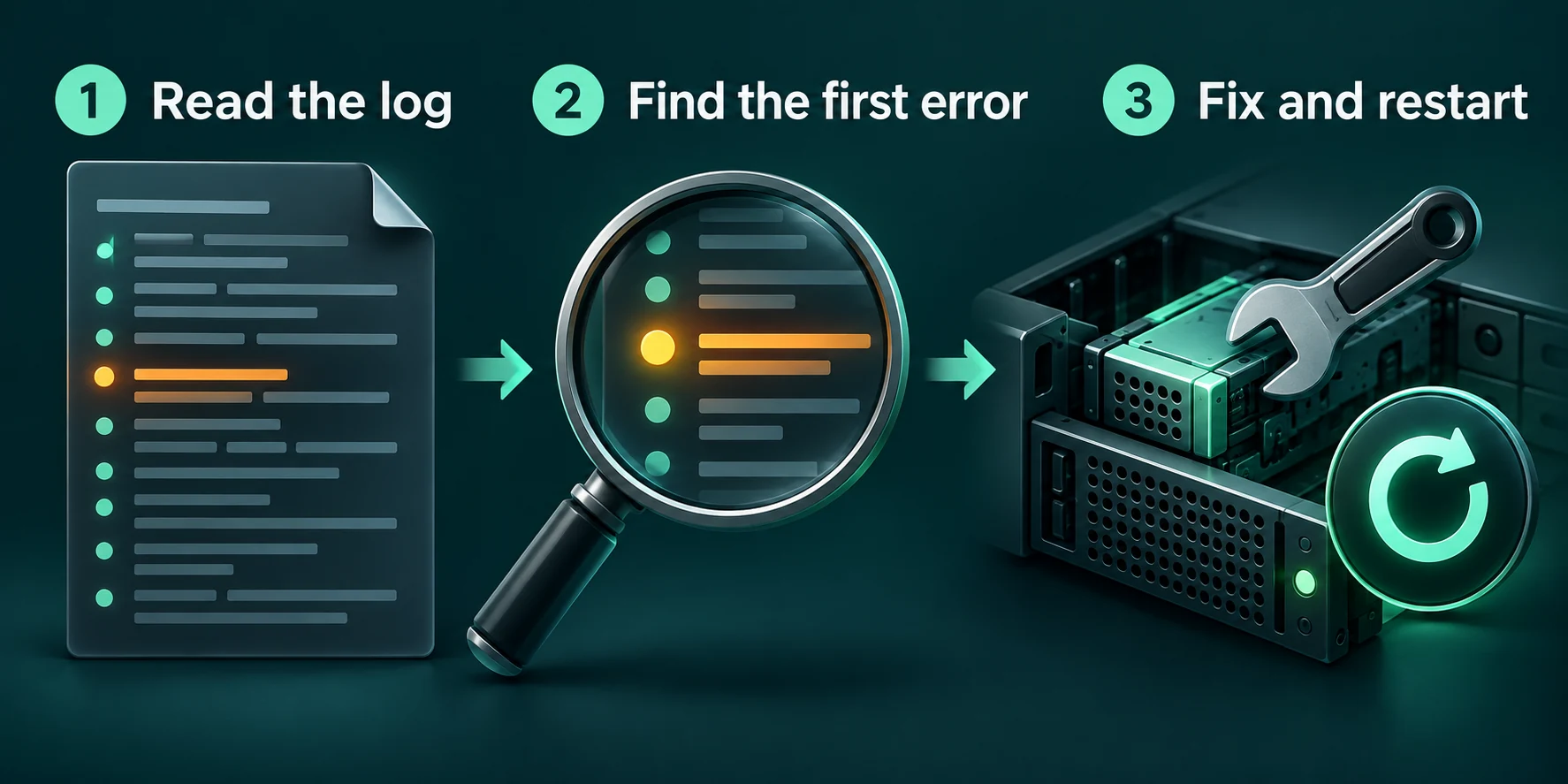
Scroll up from the bottom of the console to the first line marked ERROR. Below it Java prints a long list of places in the code, which you can skip. Inside that list, the last line that begins with Caused by: is usually the real reason.
- The Console tab shows the current run live. You can filter it on a word such as
ERRORand download what it shows. - `logs/latest.log` holds the whole last run. Older runs are packed next to it as dated
.log.gzfiles. - `crash-reports` gets a file when the server crashes after it started. The first lines give a short description and the part that failed.
The usual causes, with the line you will see
The EULA has not been accepted
Console
You need to agree to the EULA in order to run the server. Go to eula.txt for more info.A brand new server stops right away until the licence agreement is accepted. Open eula.txt in the server folder, change eula=false to eula=true and start again. With that change you agree to Mojang's end user licence agreement, which the first lines of the same file link to.
Java is too old for this Minecraft version
Console
java.lang.UnsupportedClassVersionError: ... has been compiled by a more recent version of the Java Runtime
(class file version 69.0), this version of the Java Runtime only recognizes class file versions up to 65.0
Every few years Minecraft moves to a newer Java, and an older Java cannot run it. The first number in the error is what the server or mod was built for, the second what your Java understands. Translate them with this table:
| Minecraft version | Needs Java | Class file version |
|---|---|---|
| 26.1 and newer | 25 | 69 |
| 1.20.5 to 1.21.11 | 21 | 65 |
| 1.18 to 1.20.4 | 17 | 61 |
| 1.17 | 16 | 60 |
| 1.16.5 and older | 8 | 52 |
A single mod or plugin built for a newer Java triggers the same error with its own name in it, even when the server itself would run.
The opposite happens too. Old modding setups, such as the Forge versions for 1.12.2, only run on Java 8 and fail on anything newer. If you hit this after changing the version on our panel, tell us which version you switched to and send the console lines.
The port is already in use
Console
**** FAILED TO BIND TO PORT!
The exception was: java.net.BindException: Address already in use
Perhaps a server is already running on that port?
Another process already holds the port, often an earlier run of the same server that never shut down properly. Stop everything, wait half a minute and start once. On our panel the port is managed for you, so leave server-port and server-ip in server.properties as they are.
The server runs out of memory while loading
Console
java.lang.OutOfMemoryError: Java heap spaceDuring startup this nearly always means a modpack that is bigger than the plan, or a spawn area stuffed with entities. The RAM guide shows how much heap each plan gives and how to tell what a pack needs.
A mod is missing, doubled or made for the other side
Console, Forge or NeoForge
Missing or unsupported mandatory dependencies:
Attempted to load class net/minecraft/client/... for invalid dist DEDICATED_SERVER
The first line lists mods that need another mod, or a different version of it. The second means a mod that only belongs in a player's game, such as a shader loader or a purely visual mod, ended up in the server's mods folder. Fabric stops with a list of incompatible or missing mods and often suggests the version to install. Two versions of the same mod side by side stop every loader.
A plugin fails to load
A broken plugin rarely keeps a Paper server from starting. The server starts without it and names the plugin and the reason in the console, most often a missing dependency or a plugin made for a newer server version. Players notice when commands of that plugin are gone.
The world will not load or the disk is full
A crash during saving can damage level.dat, the main data file of a world. Minecraft keeps the previous copy next to it as level.dat_old; with the server stopped, move the damaged file aside and give the old copy its name. When the console says No space left on device, clear old zips, world copies and log archives from the server folder before you start again.
A routine for any failed start
Read the first error, not the last line
Scroll up to the first
ERRORand find the lastCaused by:beneath it.Undo the last change
A server that ran yesterday and fails today usually fails on the last plugin, mod or setting that changed. Put that back first.
Start with half the parts
Move half of the plugins or mods into a spare folder and start. If it runs, the culprit is in the half you moved; split that half again until one is left.
Restore a backup when the world itself is broken
On a plan with backup slots, a backup from the Backups tab puts the whole server folder back the way it was, world included. Take a fresh backup of the broken state first, in case you want something from it later.
Written and checked by the Lodehost team, last reviewed on 13 September 2026.