Lodehost
Why Java and Bedrock do not connect by themselves
The two editions were written separately and talk to servers in different ways. A Bedrock client that knocks on a Java server gets an answer it cannot read, and the other way round.
| Java Edition | Bedrock Edition | |
|---|---|---|
| Plays on | Windows, macOS and Linux | Windows, Android, iOS, Xbox, PlayStation and Switch |
| Connection | TCP, default port 25565 | UDP, default port 19132 |
| Changes to the game | Mods through Fabric, Forge or NeoForge | Add-ons and Marketplace content |
| On a Crossplay server | Joins with the address | Joins with the address and a Bedrock port |
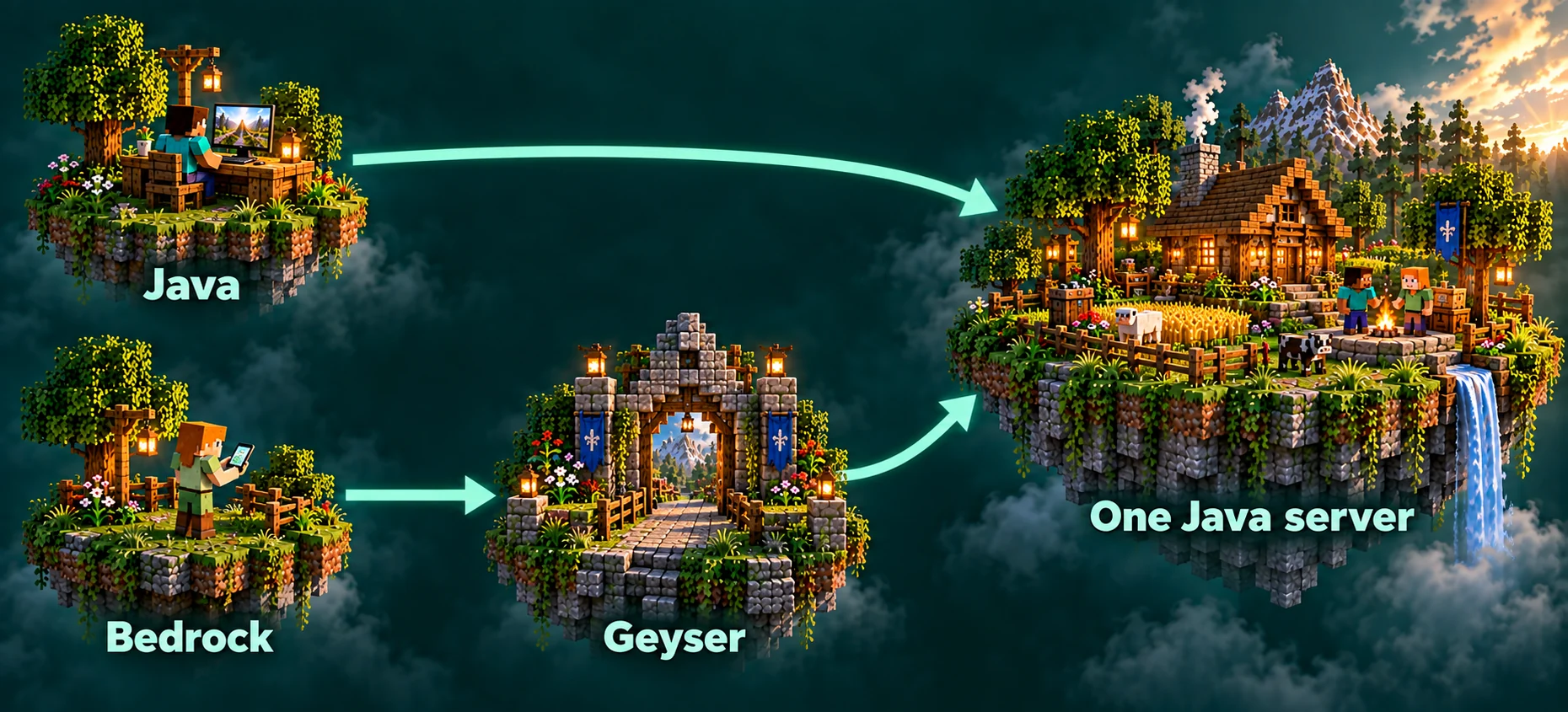
The bridge between them is a pair of plugins. Geyser listens for Bedrock players and turns what they send into traffic a Java server understands. Floodgate lets those players in with their Bedrock account, so nobody has to own Java Edition as well.
What a Crossplay plan sets up for you
On a Crossplay plan we install Geyser and Floodgate, open a second port for the Bedrock side, and keep both plugins up to date. Because they are plugins, the server runs Paper or Purpur. A Forge, NeoForge or vanilla server has no place to load them.
Leave the Bedrock port the way we set it
Nearly every tutorial online tells you to put Geyser on port 19132. On our servers that is not the port that is open for you. The panel shows your own Bedrock port next to the address, and Geyser's config has to keep exactly that number; change it and Bedrock players only get a timeout.
Running a Java plan with us already? Ask us and we turn it into a Crossplay server with the same world, plugins and address.
How Java players join
Nothing changes for them. In Multiplayer they choose Add Server, type the address and save. There is no port to add, and the only thing that has to match is the Minecraft version the server runs. The steps for every device are in how to join a Minecraft server.
How Bedrock players join on Windows, Android and iOS
On a computer, phone or tablet the Bedrock game has a field for your own servers. It takes a minute, once.
Open the Servers tab
Start Minecraft, choose Play and switch to the Servers tab.
Choose Add Server
Scroll past the featured servers to the end of the list and pick Add Server.
Fill in the address and the Bedrock port
The name can be anything. The address is the same one Java players use. In the port field, type the Bedrock port from your panel instead of 19132.
Save and join
Save, then select the server in the list. It stays there, so next time it is one tap.
Xbox, PlayStation and Switch
Consoles list only the featured servers and give you no field for an address of your own. Console players get in through a detour, and two of them work well:
- A server list through DNS. BedrockConnect is a community service. You set the console's DNS to one of its addresses, open a featured server, and it shows a list where you can enter any address and port.
- A LAN helper on a phone. Apps such as BedrockTogether or MC Server Connector run on a phone in the same Wi-Fi network and announce your server as a local game. The console then finds it on the Friends tab.
Both are third-party tools that we do not run, so check their own instructions before you change network settings on a console.
Names, skins and the whitelist
Bedrock players show up with a dot in front of their name. A phone player called RiverFox22 appears as .RiverFox22, which keeps them apart from a Java player who owns the same name. Spaces in a gamertag become underscores.
The normal whitelist add looks names up among Java accounts, where Bedrock gamertags do not exist. Floodgate has its own command for that, and you type the gamertag without the dot:
Console
fwhitelist add RiverFox22
fwhitelist remove RiverFox22
Skins come across too. Floodgate converts a Bedrock skin so Java players can see it, usually a short while after that player joins. Ranks and permissions work the same way as for everyone else, because permission plugins see a normal player with a prefixed name. More on locking a server down is in the whitelist and op guide.
What does not carry over
- Mods. A Bedrock client cannot load Java mods, so a modded server stays Java only. Plugins are fine, because they run on the server and not in the player's game.
- Resource packs. A Java pack does nothing on Bedrock. Bedrock players need a Bedrock pack, which Geyser can hand out from a folder of its own. See the resource pack guide.
- Game rules and mechanics. The server is a Java server, so farms, redstone and combat follow Java rules for everyone, including a Bedrock player who built a farm from a Bedrock tutorial.
- Anti-cheat. Movement from a Bedrock client does not look exactly like Java movement, and some anti-cheat plugins flag it. Choose one that says it supports Geyser players.
- Old versions. Geyser speaks the current Java release, which is 26.2 at the time of writing. An older world version needs an extra bridge plugin, so talk to us before you move a Crossplay server back in time.
Written and checked by the Lodehost team, last reviewed on 13 September 2026.