One size down · 2 GB
Camp
Half the memory, for a small world with only a few people on it.
Mini · 4 GB
Mini gives you 4 GB, twice what Camp has. That is comfortable room for vanilla Minecraft with a regular group of friends, and enough for a light set of plugins that makes the server feel like yours without turning it into a second job.
Mini gives you 4 GB of memory and 2 vCPU, with 50 GB Enterprise NVMe in Germany on the Performance line and 60 GB of disk in the other locations and in Germany on the Standard line.
 4 GB memory
 2 vCPU
 Daily backups included
What that carries on Mini
A world that several friends play most evenings, with farms, a shared base and trips far from spawn. Loading new terrain is what uses memory in vanilla, and Mini leaves room for a group that spreads out across the map.
The additions most small servers start with: homes and teleports, a claim plugin to protect builds and something to lock chests. They install on Paper, Spigot or Purpur in one click from the panel.
A group that knows each other, plays at set times and wants its own rules. A staff login lets a second person look after the server while you are away.
What it will not carry on Mini
Economies, shops, jobs, custom items and minigames all keep data in memory. When the plugin folder starts to scroll, Starter doubles the room to 8 GB.
Modded Minecraft needs a lot of memory before the first player even joins. On Lodehost small modpacks begin at Starter and bigger ones at Standard.
One size down · 2 GB
Half the memory, for a small world with only a few people on it.
Germany
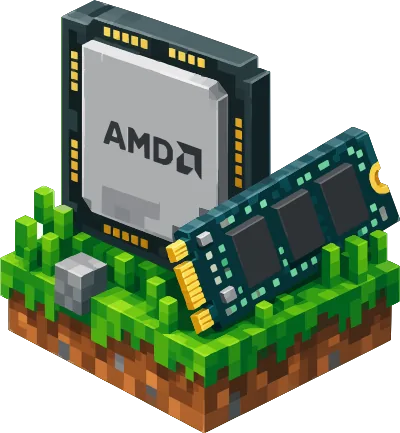
With Germany under Server location, Mini runs on the AMD Ryzen 9 5900X when you pick Germany on the Performance line. Its own address has Germany already selected and lists the full specification.
One size up · 8 GB
Double the memory, for a real plugin setup or a small modpack.
Starter costs €5.00 more a month than Mini and doubles the memory to 8 GB. The processor stays at 2 vCPU and the disk at 60 GB, so this step buys room for mods rather than speed: every tick still has the same fifty milliseconds to finish in.
Mini has 60 GB of disk outside Germany and in Germany on the Standard line, which carries far more than a world of this size needs. A vanilla world that has been built on for a year costs only a few gigabytes of those 60 GB; the rest is headroom, free for backups and a second world instead of a full disk.
Decide early whether the server stays vanilla or gets plugins. For plugins, choose Paper as the server type in the panel before anyone starts building. Changing the type later works without a new world, but doing it on the first day keeps things calm.
Add plugins one or two at a time and restart in between. When something stops working, the console shows which plugin complained, so you know which one to update or remove before adding the next.
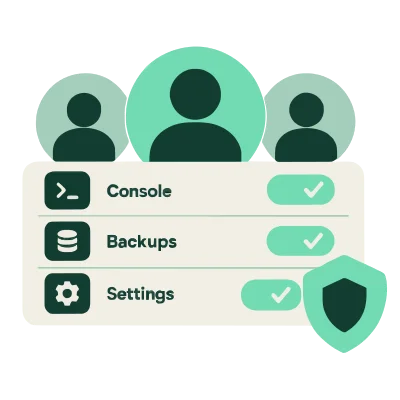
Invite a friend as staff with only the permissions they need, for example the console and the player list but not the files. Then someone can let people in or restart the server while you are away, without knowing your password.
Watch how the server feels on the evenings when everyone is online together. If new areas start loading slowly while people explore, that is usually the moment to look at Starter, and changing plan keeps the world, the plugins and the address.
Want the full breakdown of this Mini plan, with the price on every term and what runs comfortably on it? The price on every term is in the order card above, and what runs comfortably on it is in the two lists at the top of this block. The Mini plan page puts the sizes we list next to each other, with the monthly price of each. Not sure about the size, or whether Mini at 4 GB is the one? The RAM guide works it out in one sentence: memory decides how many players and how many mods fit, so the answer comes from your player count and your modpack.

Everything below is about this order and about Mini in particular. It is here because a price and four fields do not answer the questions people actually ask us in the last minute before they pay:
Not this size after all? Back to the plans. Ready to order but the first field is still empty? Name your server first.
The location you pick is not only about distance. It decides which machine your world lands on, so the specification above changes with it.
 Germany (EU), Performance lineincluded in the plan priceGermany (EU), Standard lineincluded in the plan price
 United Kingdom€1.50 a month on top of the plan price, delivered within 48 hours
 US (East)€2.00 a month on top of the plan price, delivered within 48 hoursUS (Central)€1.50 a month on top of the plan price, delivered within 48 hoursUS (West)€1.50 a month on top of the plan price, delivered within 48 hours
 Poland (Warsaw)included in the plan price, delivered within 6 hours during the day and 12 hours at night
Choose the place most of your players are nearest to. The distance between them and the server is most of the delay they notice, so it matters more than where you live yourself.
Mini runs on a machine of our own here: AMD Ryzen 9 5900X with 50 GB Enterprise NVMe. That is Germany on the Performance line. In Germany on the Standard line, Mini runs on a shared server processor with 60 GB of disk, as in the other locations.
Minecraft works through its whole world on a single thread twenty times a second, so a core that gets further inside those fifty milliseconds does more for your server than an extra core would. The disk matters for the same reason: loading chunks and saving the world both happen inside that same tick. A second core still earns its keep, because the network traffic of every player and plugins that do their work off the main thread run beside the tick instead of inside it, while the tick itself stays on one core. Those twenty ticks a second are not a number we invented; they are the clock Minecraft itself runs on.
Germany on the Performance line costs nothing on top of the plan price of that machine, €7.95 a month, and it is the location we hand over fastest. Germany on the Standard line costs nothing on top either, at €7.95 a month, the plan price of the other locations.
This size also has an address of its own with Germany chosen, and the full specification of this size is on it: the full specification of the Mini plan.
In these regions, and in Germany on the Standard line, Mini comes with 60 GB of disk. It is the right choice for a vanilla world, a plugin server or a modpack that is not at the heavy end, and it is the only way to sit close to players who do not live near Germany. The surcharge per region is in the selector, next to the name of each location. Whichever of them you pick, the machine stands in that region itself, and your players connect to it there rather than by way of Germany.
The order card above shows the processor and the storage for whichever location you select.
The Performance line on this page can also stand in Warsaw, on our newest machine: the AMD Ryzen 9 7950X with DDR5 RAM, for the same price as the Performance line in Germany. Pick Poland (Warsaw) under Server location to get it. That machine is added when the first order for Warsaw comes in, so delivery there is within 6 hours during the day and within 12 hours at night instead of within the hour. In Germany the Performance line keeps running on the AMD Ryzen 9 5900X.
Want more speed? Upgrade this size to the AMD Ryzen 9 5900X in Germany: faster cores, your own NVMe slice and a faster port. That is the address of this same 4 GB, with Germany and the AMD Ryzen 9 5900X chosen from the start, instead of by picking Germany on the Performance line here. Open the full specification of the Mini plan.
If your group lives in different countries, choose the location in the middle of them rather than the one nearest to whoever pays.
You get a server that is already installed and an address your friends can type, with no port number behind it. That address is the one thing you share with the people who join.
Most orders are handed over instantly. If a machine has to be prepared first, it is within the hour during the day and within twelve hours at night, and you can watch it happen in your panel instead of waiting for an email.
That goes for Germany on the Performance line. In the other locations, United Kingdom, US (East), US (Central) and US (West), delivery takes up to 48 hours, and the order summary above shows the time for the location you pick. For Germany on the Standard line, it shows that time as well. In Poland (Warsaw), delivery is within 6 hours during the day and within 12 hours at night.
Nothing about Mini is set up by hand, so the 4 GB and the 2 vCPU are there from the first minute. The whole setup runs by itself after the payment: what you pick at the top of this page is set before the server is handed over, so there is nothing about the order left for you to set afterwards.
Mini arrives as a clean vanilla server. Switching it to Paper for plugins is a choice in the panel afterwards, not a new order.
A backup is made for you every night, on this plan and on every other one, and that costs nothing extra. You keep up to ten of them, as many as fit the storage that comes with Mini, and you restore one yourself with a single click.
The one that rolls off the end is not thrown away: it waits another seven days in a bin, so a mistake you only notice on Tuesday is still fixable.
You can also download a backup to your own computer whenever you like, and keep it for as long as you want after you stop paying us.
Once a few plugins are installed, the daily backup keeps their settings too, so a plugin update that goes wrong is one restore away.
 A panel we built and run ourselves, with a live console and a real file manager. The console reads out the logs line by line as the server writes them, so the line with an error in it is there when you look, and the file manager edits the files right in your browser.
 A free website for your server comes with the plans from 8 GB up. On those plans you put it together in an editor in your panel, without writing any markup.
 Help moving a world over from another host, with your plugins and settings intact. Tell us where the server runs today and what is on it, and we take it from there. If you already have a download of the world, you can also upload it yourself in the file manager, together with your own jar or modpack.
Staff get their own login with permissions you choose per person, for up to fifteen people, so nobody needs your password. Whitelist, bans and operators have their own place in the panel, which saves typing commands. Your account can use two step login, and incoming attacks are filtered before they reach the network.
Mini gets the same live console, file manager and staff logins as the largest plan; what grows with the bigger plans is the room to run more.
A vanilla world or a small plugin server moves to Mini quickly, because the world folder and the plugin folders come across exactly as they are.
Send us a message about the move
Friends on phones or tablets? See how Crossplay lets Bedrock players join

€7.95a month for Mini on the monthly term, with Germany on the Performance line as the location.
Mini is €7.95 a month in United Kingdom, US (East), US (Central), US (West), plus the surcharge for the region you pick, and €7.95 a month in Germany on the Performance line, where it runs on the AMD Ryzen 9 5900X. In Germany on the Standard line, Mini is €7.95 a month, with no surcharge. Whichever location you pick, the amount on the card above is the amount on your invoice as well.
The four terms in the field above are the same server with the same resources; what differs is how often it is collected, and on the yearly term each month costs €6.95 instead of €7.95 in those locations and in Germany on the Standard line, and €6.95 instead of €7.95 in Germany on the Performance line.
€7.95, plus the surcharge for your region outside Germany (in Germany neither line has one), leaves your account on the day you order and again on that date every month after it, with an invoice for each payment in your account. Cancel from your panel before the next renewal and it simply stops; there is no fee for leaving and nobody to phone.
€83.40 in one go outside Germany and in Germany on the Standard line, before the surcharge for your region, and then nothing for twelve months. That is twelve times €6.95: a 12 percent discount on the monthly price of €7.95, and still not a longer contract in disguise. In Germany on the Performance line the yearly term is €83.40 in one go, twelve times €6.95. You can move to monthly at the next renewal, and a world you built on a yearly term stays yours either way. On that term the whole amount leaves your account once a year.
The same server can also be paid for six or twenty-four months at once, like on the yearly term: €41.70 for six months, which is €6.95 a month, or €166.80 for twenty-four months, which is €6.95 a month outside Germany and in Germany on the Standard line, before the surcharge for your region. The term renews at the same amount, and you can move to a shorter term at the next renewal.
Due today in the order summary is what is charged when you continue, and the note under Billing term says how the plan renews. You can cancel at any time without a cancellation fee. Cancel at least three days before the renewal date and nothing more is charged; the server keeps running until the end of the period you paid for, and your files stay available for seven days after that.
Mini is where a group of friends usually stops relying on one person's computer, at a monthly price that is easy to split between a few people.
The server is put on your account, and your invoices, your backups and your console all sit behind that same login. So we need to know who you are before the payment; otherwise there is a paid server with no owner and a panel you cannot reach.
Signing in takes one screen, and you come straight back here with these choices still filled in. No account yet? You create one on that screen, before the payment, and the server arrives in that account.
The payment runs on the page of our payment provider and not on ours, so your card details never touch our servers. You will see Mini on the summary there with the term you picked, and after it you land in your panel with the server already building.
If something goes wrong at that step, nothing is charged and you can come back to this page.
The name of the server is a field above and a field in your panel, so nothing depends on what you type today.
You can move up a size when your world outgrows 4 GB, and your world, your plugins and your settings come along, so a world shared by the same friends for years moves up in one piece. Upgrading changes the size and the price: from then on the higher price of that size is what you pay. You can also switch the term you bought at the next renewal, and the sizes we offer are side by side on the plans page.
What you cannot change afterwards is the location, because that is where the machine your world sits on stands, so pick the region your players are in.
Ask us first if you are not sure which one that is, and ask us here about anything that is not on this page.
Make it your world.
Set up your server details, then continue to payment.
4 GB RAM · 2 vCPU · 50 GB Enterprise NVMe · AMD Ryzen 9 7950X with DDR5 RAM
You can change this later.
The address your friends type to join. Leave it empty and we pick one.
Renews monthly. Cancel before your next renewal.
Choose a region close to your players.
No account yet
Sign in or create one on the next screen.
Your server will be added to this account.